Teal Free
500 MB every day
- Amsterdam
- 500 MB a day, shared with your apps
- One browser a day
- No payment details
'/%3e%3ccircle%20cx='24'%20cy='24'%20r='9.5'%20style='fill:%231a73e8'/%3e%3cpath%20d='M34.3913,30.0029,24.0007,48A23.994,23.994,0,0,0,44.78,12.0031H23.9989l-.0025.0093A11.985,11.985,0,0,1,34.3913,30.0029Z'%20style='fill:url(%23b)'/%3e%3cpath%20d='M13.6086,30.0031,3.218,12.006A23.994,23.994,0,0,0,24.0025,48L34.3931,30.0029l-.0067-.0068a11.9852,11.9852,0,0,1-20.7778.007Z'%20style='fill:url(%23c)'/%3e%3c/svg%3e) Teal VPN for Chrome On Chrome Web Store
Teal VPN for Chrome On Chrome Web Store
A small extension that sends everything Chrome does through Teal. Amsterdam on Free, seven cities with Teal Pro, the same account as your apps. Nothing to configure.
Chrome 120 or later, on Windows, Mac, Linux and Chromebook.
From Chrome Web Store. It asks for nothing until you sign in.
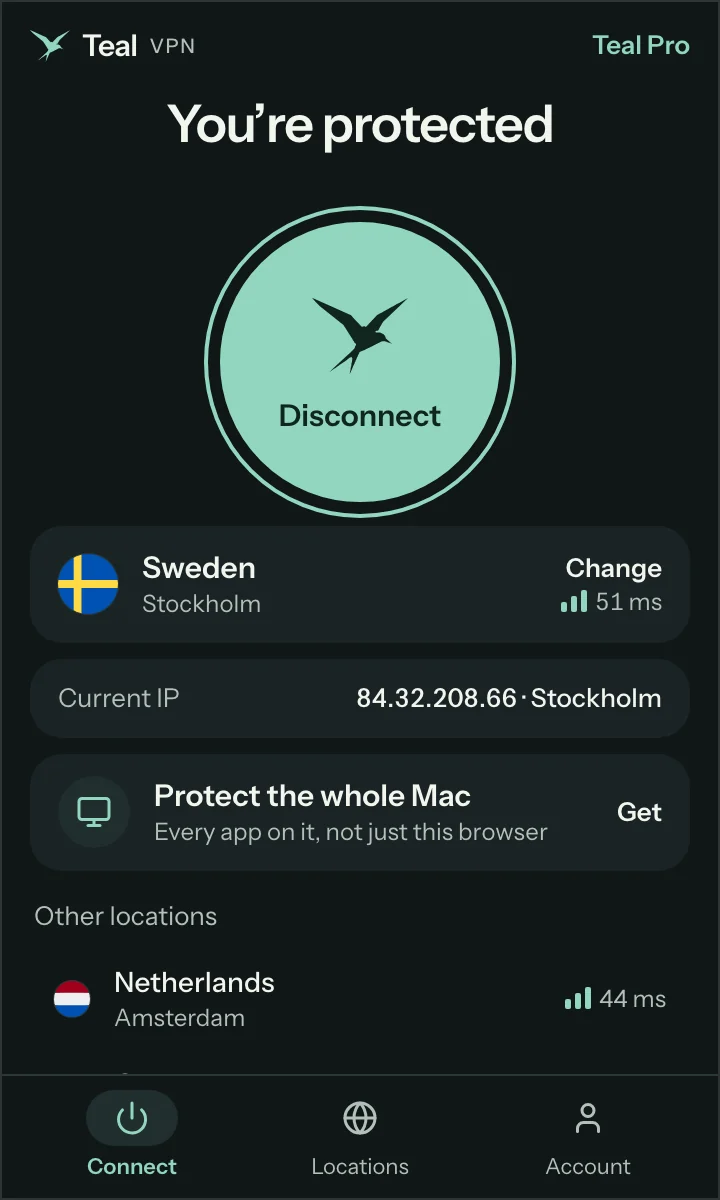
Press Sign in. Your account page opens, approves this browser by itself and closes. No code to type.
Pick a city or take the fastest one. Chrome asks nothing more. The icon turns on while Chrome is protected.
Press Connect and the icon turns on. Pages, downloads and video in Chrome leave through the city you chose until you press Disconnect. Other programs on the computer are not touched.
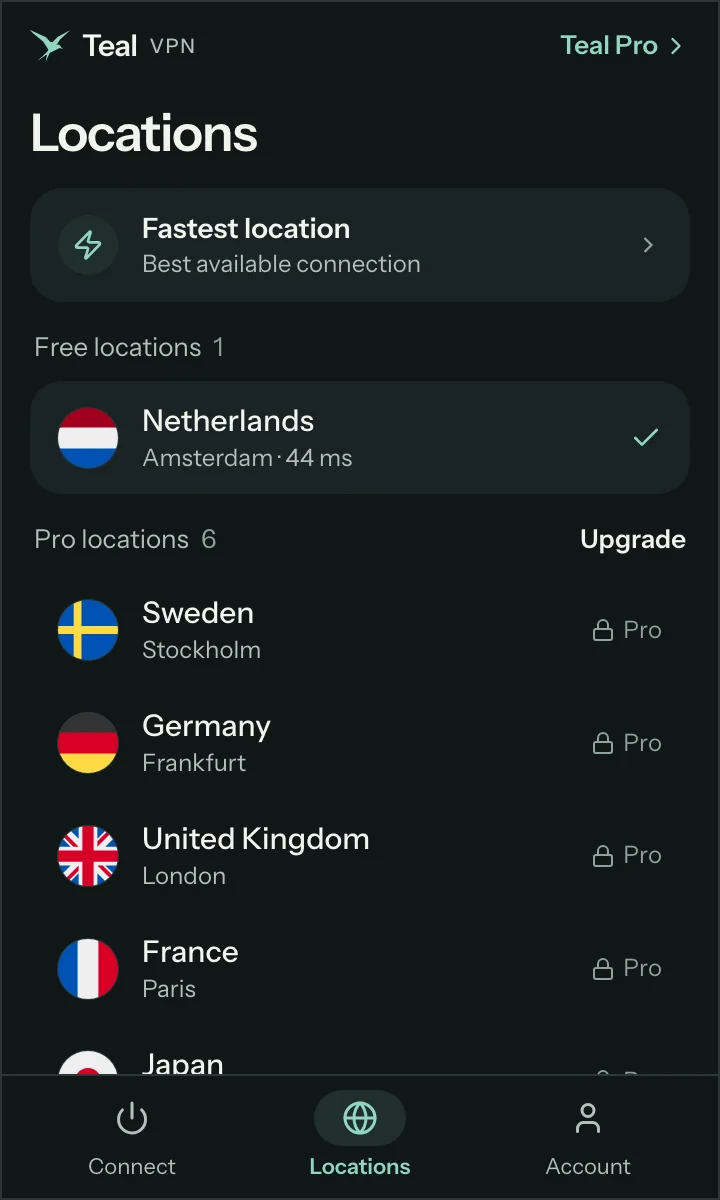
Amsterdam on Free. Stockholm, Frankfurt, London, Paris, Tokyo and Chicago with Teal Pro. Switch while connected; the new city takes over without a gap.
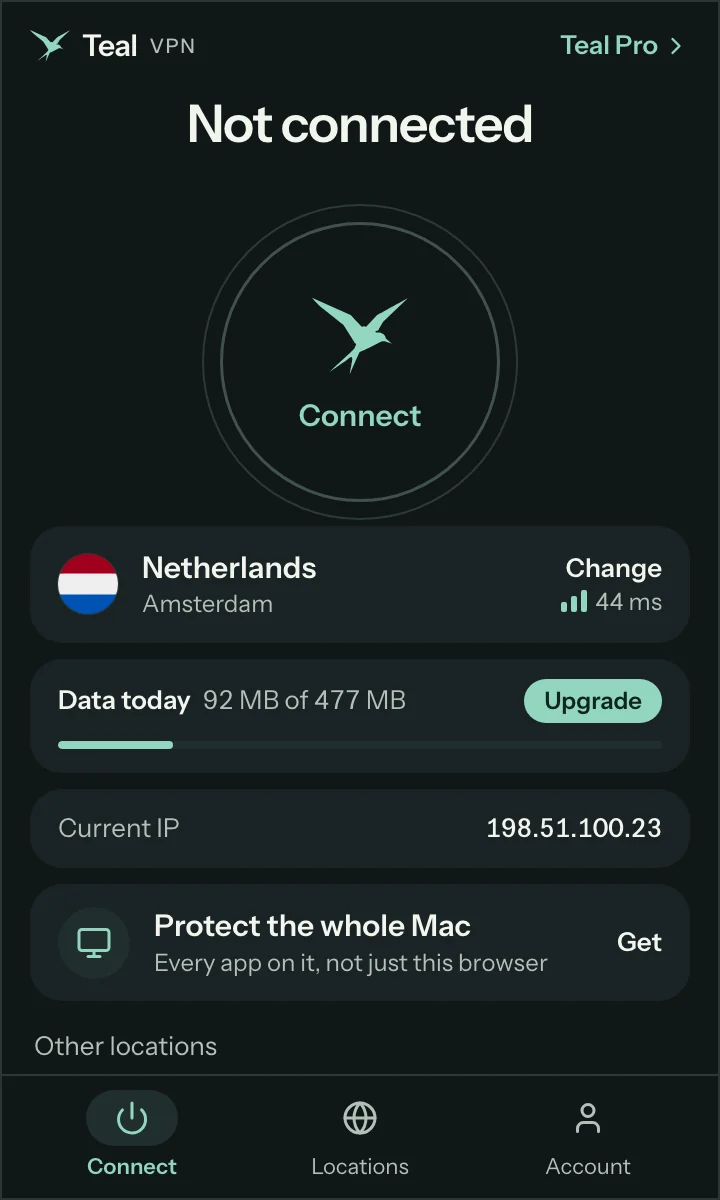
500 MB a day, shared with your Teal apps, with the bar right there. When the day is spent it says so, and the next day it is back.
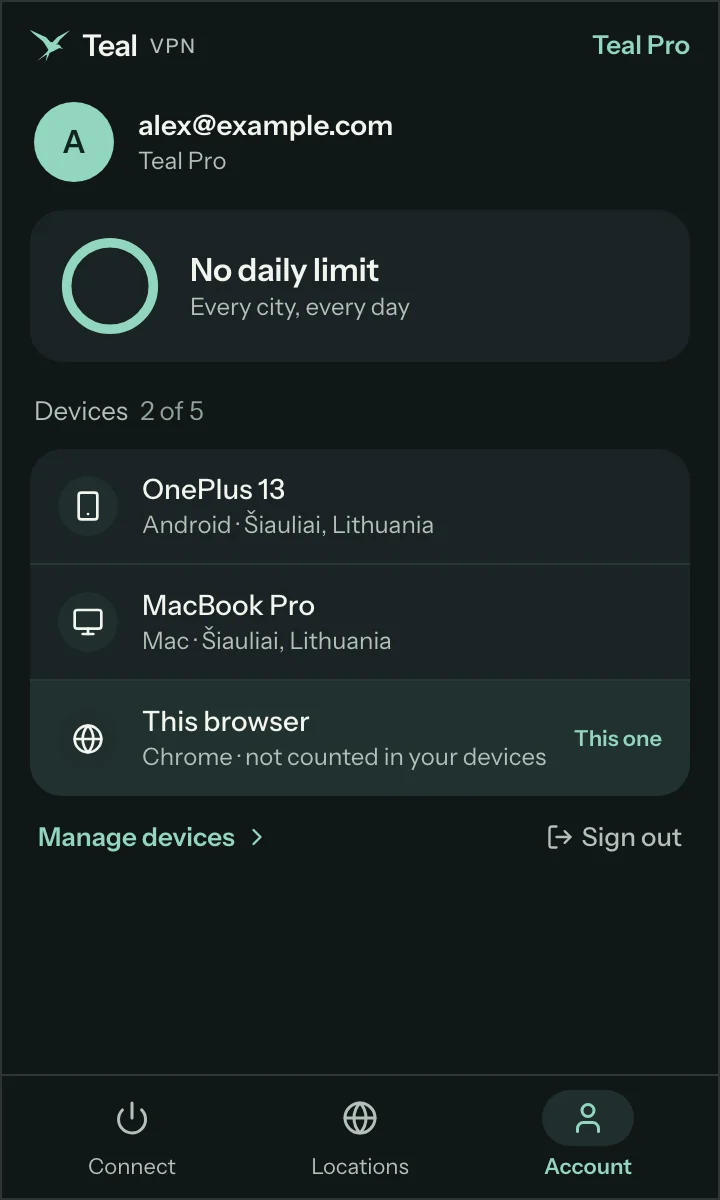
Sign in once and your plan is there. Your phone and your computer keep their device slots; the browser rides along without taking one.
One account works in the browser and in every Teal app.
Teal Free
Teal Pro
The extension protects Chrome. The Teal app protects the whole computer, with the same sign-in.
Only its own sign-in key and your chosen city. No server list, no secret, no settings page to leak. Everything comes from your account when you sign in.
No browsing logs. A connection is a one-hour name that tells our servers your account and nothing else. Bytes are counted against your plan, destinations are never written down.
Permission to set the browser’s proxy and to keep your settings. Access to one more site, tealvpn.com, only to show your current address. Nothing else.
No. It protects Chrome: every page, download and video you open in it goes through Teal. Other programs on the computer are not covered. For the whole computer, use Teal VPN for Windows, Mac or Linux, with the same account.
Yes, for everything Chrome does. Websites see the address of the Teal location you chose. The extension also turns off the browser feature that could reveal your address through video calls while you are connected.
Yes. Teal Free gives you Amsterdam and 500 MB of data a day, shared with your Teal apps, with no payment details. Teal Pro adds six more cities and unlimited data, in the browser and in the apps.
Chrome 120 or later, on Windows, Mac, Linux and Chromebook. The same extension works in browsers built on Chrome: Brave, Opera and Vivaldi. Teal VPN also exists for Firefox and Edge.
It is built for them. The extension looks like ordinary secure web traffic to a plain website, and the name it uses changes every hour. Where even that is cut, the Teal app has more ways through.
Only its own sign-in key and your chosen location, inside the browser. No server list and no secret is shipped with it. Teal keeps no browsing logs. The privacy policy says exactly what is kept and for how long.
Two extensions cannot both carry the browser’s traffic. Teal shows which one is in the way and offers to turn it off for you, with your permission, in one press.
Start free with Amsterdam and 500 MB every day.
Google Chrome and the Chrome logo are trademarks of Google LLC. Used here only to say which browser this page is for.