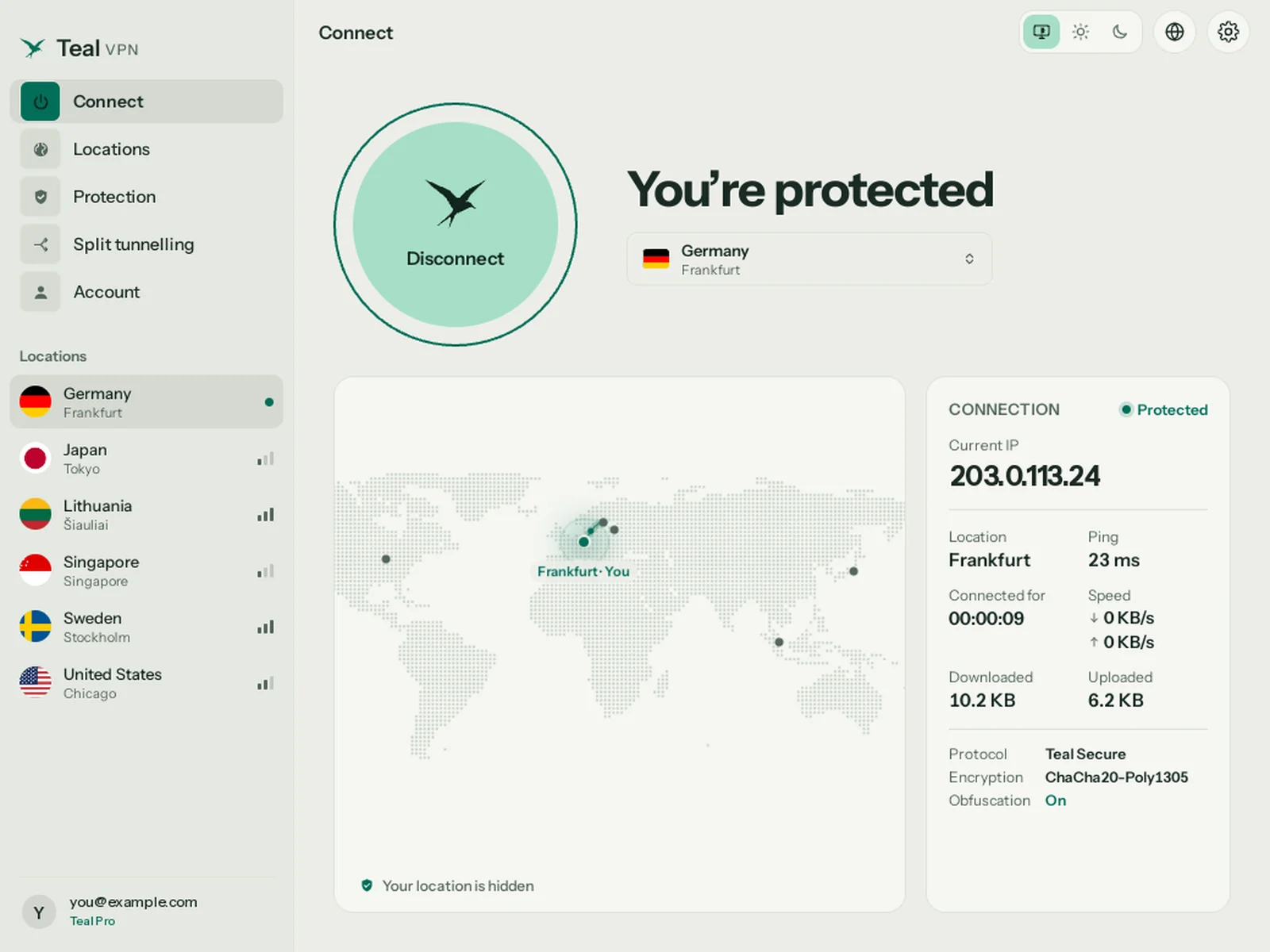
Connect
One click. Every app protected.
Press Connect and every app on your PC goes through Teal. Your IP address, ping, data and connection time are right there, and Teal reconnects by itself when your Wi-Fi changes.
Teal VPN for Linux Available
A private VPN for your Linux PC or laptop, with a real window: one button to connect, every Teal location, a kill switch and tracker blocking. Ubuntu, Debian and their relatives, Intel, AMD or ARM. Free with 500 MB every day, no ads, and no browsing logs.
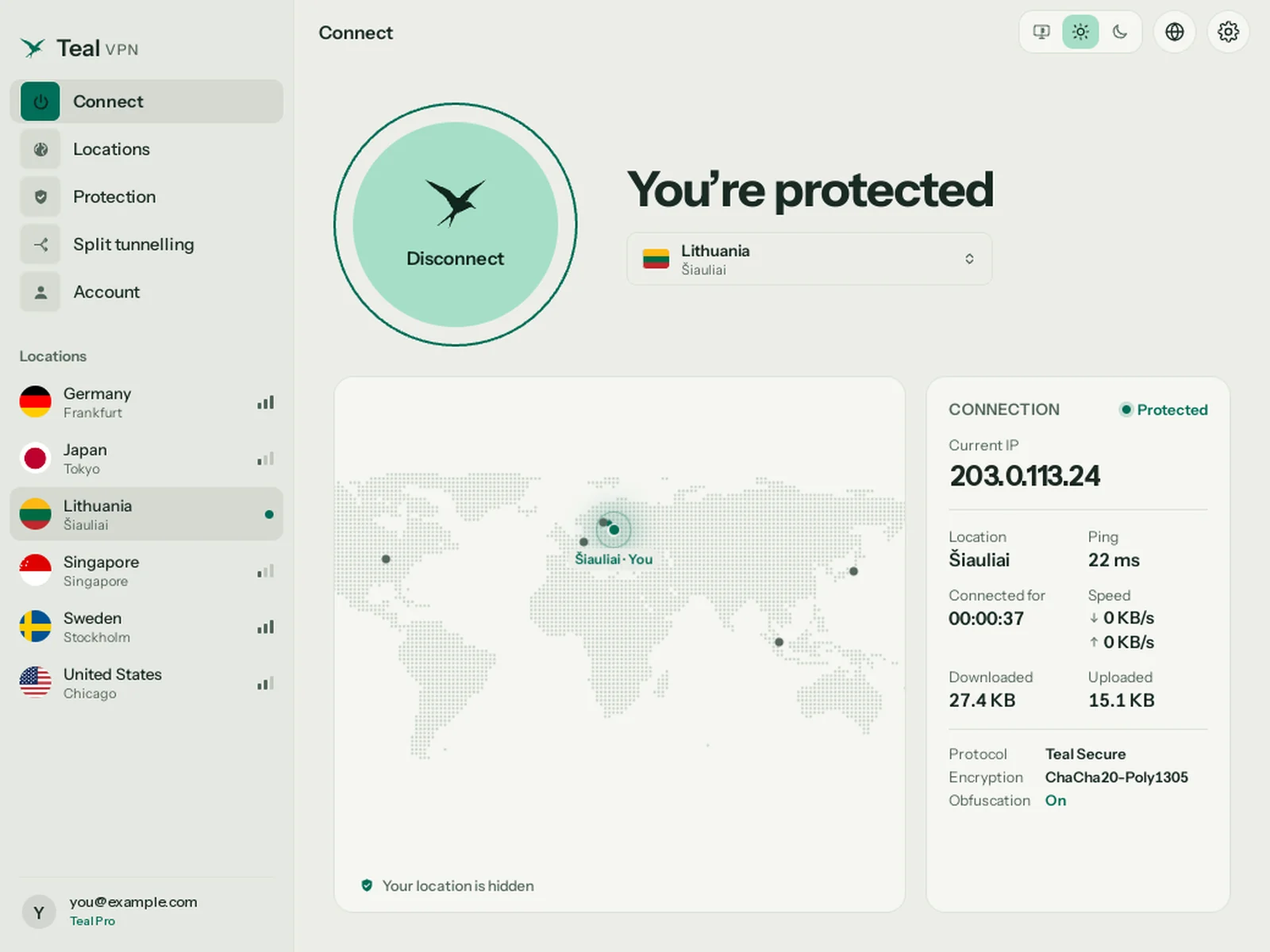
Connect
Press Connect and every app on your PC goes through Teal. Your IP address, ping, data and connection time are right there, and Teal reconnects by itself when your Wi-Fi changes.
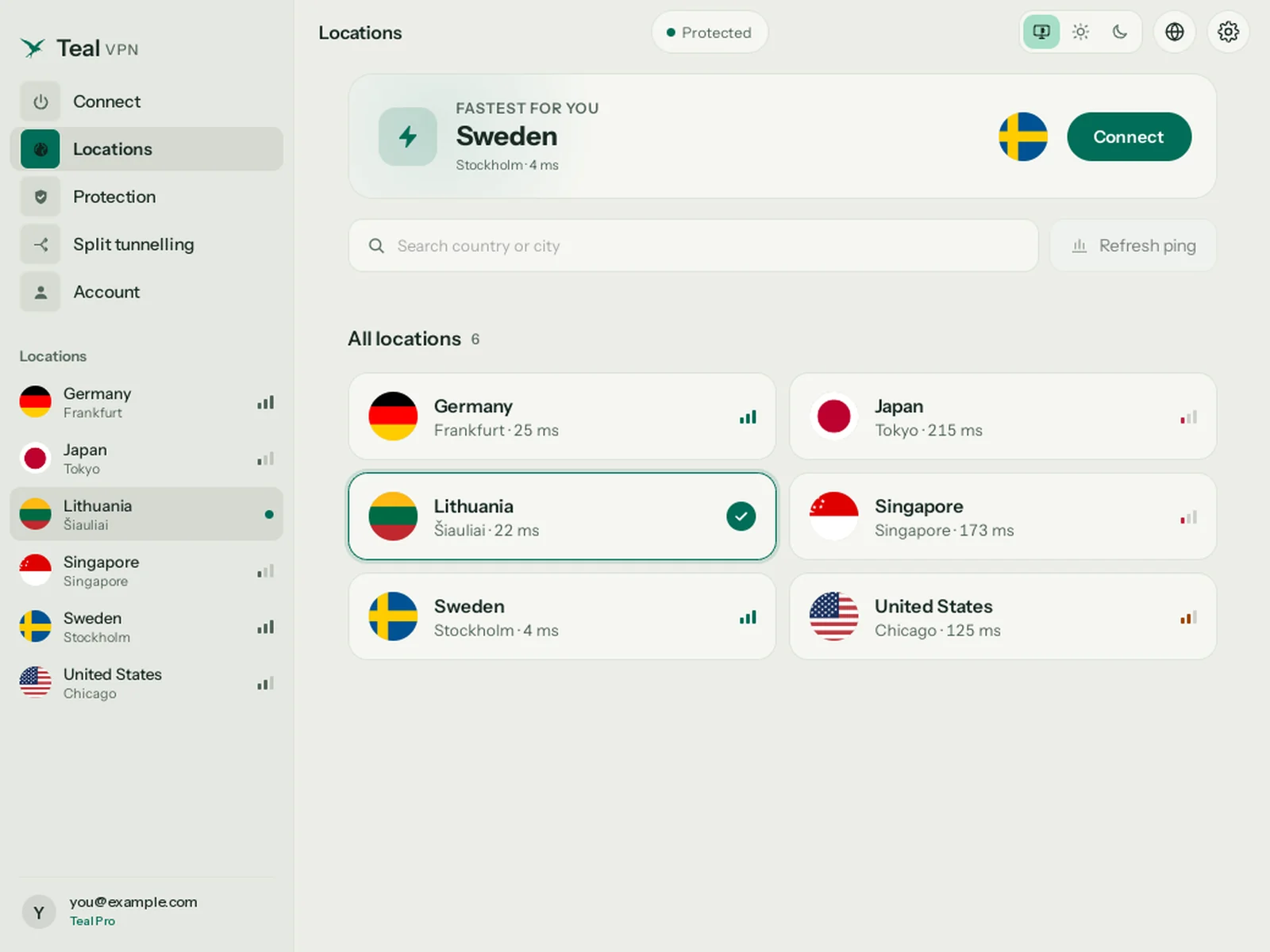
Locations
Lithuania, Germany, Sweden, the United States, Japan and Singapore. Teal measures your ping to each one and shows the fastest for you at the top. Switching takes about a second.
See all locations →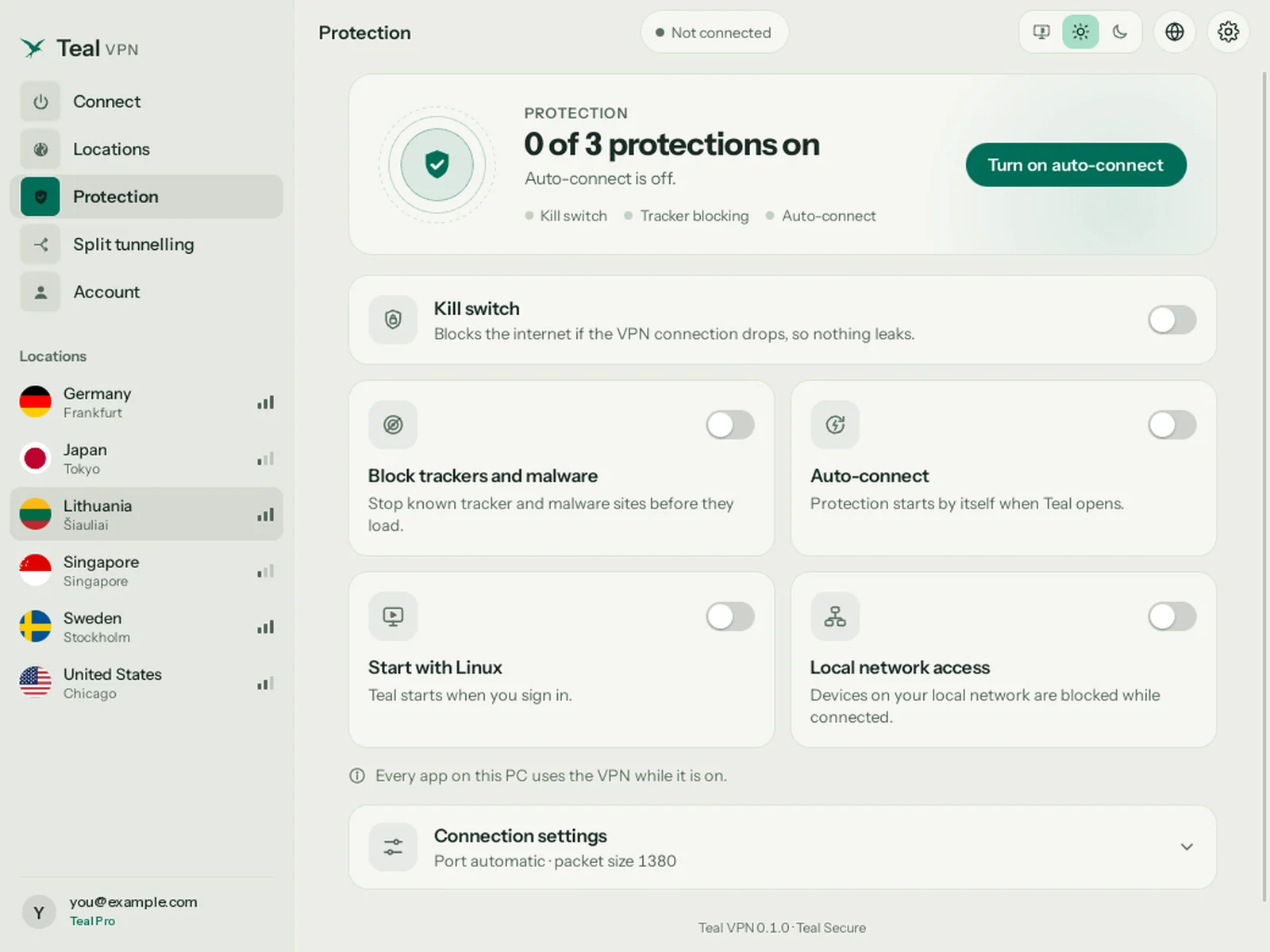
Protection
Turn on the kill switch to stop the internet if the VPN ever drops. Block trackers and malware sites, connect automatically, and start Teal when you sign in. Each one is a single switch.

One click hides your connection, your IP and your location on public Wi-Fi. Every app on your PC goes through Teal.
Download for LinuxCafé, hotel or airport Wi-Fi. One click and every app is private.

Six locations, and routes made for networks that block VPNs. If one way is closed, Teal tries another by itself.
See all locationsBuilt for networks that block VPNs. Teal finds another way in by itself.

A kill switch stops traffic if the VPN drops. Block trackers and malware. No browsing logs, and your key never leaves your PC.
Our privacy promiseA kill switch, tracker blocking and no browsing logs.
Why Teal
Teal is paid for by Pro subscribers. Not by ads, and never by your data.
| Feature | Teal Free | Many free VPNs |
|---|---|---|
| Ads | ✓None | Common |
| Selling your data | ✓Never | Often how they are paid |
| Browsing logs | ✓No | Often |
| Works where VPNs are blocked | ✓Built for it | Rarely |
| Free data | ✓500 MB every day | Varies, often slow |
We count the data you use, never what you do with it. Your connection IP address is not stored.
Your private key is created on your device and never sent to Teal.
Teal is paid for by Pro subscribers, not by selling your attention.
Plans
One account works on every Teal device.
Teal Free
Teal Pro
From $3 a month, billed yearly
Getting started
Press Download for Linux. You get a .deb package for Ubuntu, Debian and their relatives (Intel, AMD or ARM).
Double-click the file, or run: sudo apt install ./teal-vpn_*.deb. Teal starts its service by itself; no reboot.
Open Teal VPN from your app menu, sign in with Google, Apple or email, then press Connect. Your plan is already there.
Ubuntu 22.04 or newer, Debian 12 or newer, and systems built on them (Linux Mint, Pop!_OS, Zorin, elementary). Fedora, Arch and others: coming later.
Raspberry Pi 4 and 5 (64-bit), ARM laptops and ARM servers get the ARM package. You can also choose it below the download button.
Teal updates itself. When a new version is ready, it installs while you are not connected.
sudo apt remove teal-vpn. Add --purge to remove your sign-in and settings too. Nothing else stays behind.
Questions
Yes. Teal for Linux is a real desktop app with a window, the same screens as on Windows and Mac. It installs as a .deb on Ubuntu 22.04 or newer, Debian 12 or newer and their relatives, on Intel, AMD and ARM PCs.
Yes. Teal Free comes with every account: 500 MB of data every day, the Lithuania location, and up to 2 devices, with no payment details. On a PC, Teal Free needs the Teal app signed in on your phone first.
The package comes from our own download host, and the app checks every update against a signature before it installs it. The source of the open-source parts is listed on the Licenses page inside the app.
Yes. Your plan belongs to your account. Sign in with the same account on Android, iPhone, iPad, Mac, Windows and Linux.
Start free with 500 MB every day. No card needed.
Apple, iPhone, iPad, Mac, MacBook Air, MacBook Pro, macOS, and App Store are trademarks of Apple Inc., registered in the U.S. and other countries. Android, Android TV, Google TV and Google Play are trademarks of Google LLC. Windows is a trademark of the Microsoft group of companies. Teal VPN is not affiliated with or endorsed by these companies.