One tap
Protected before your coffee cools.
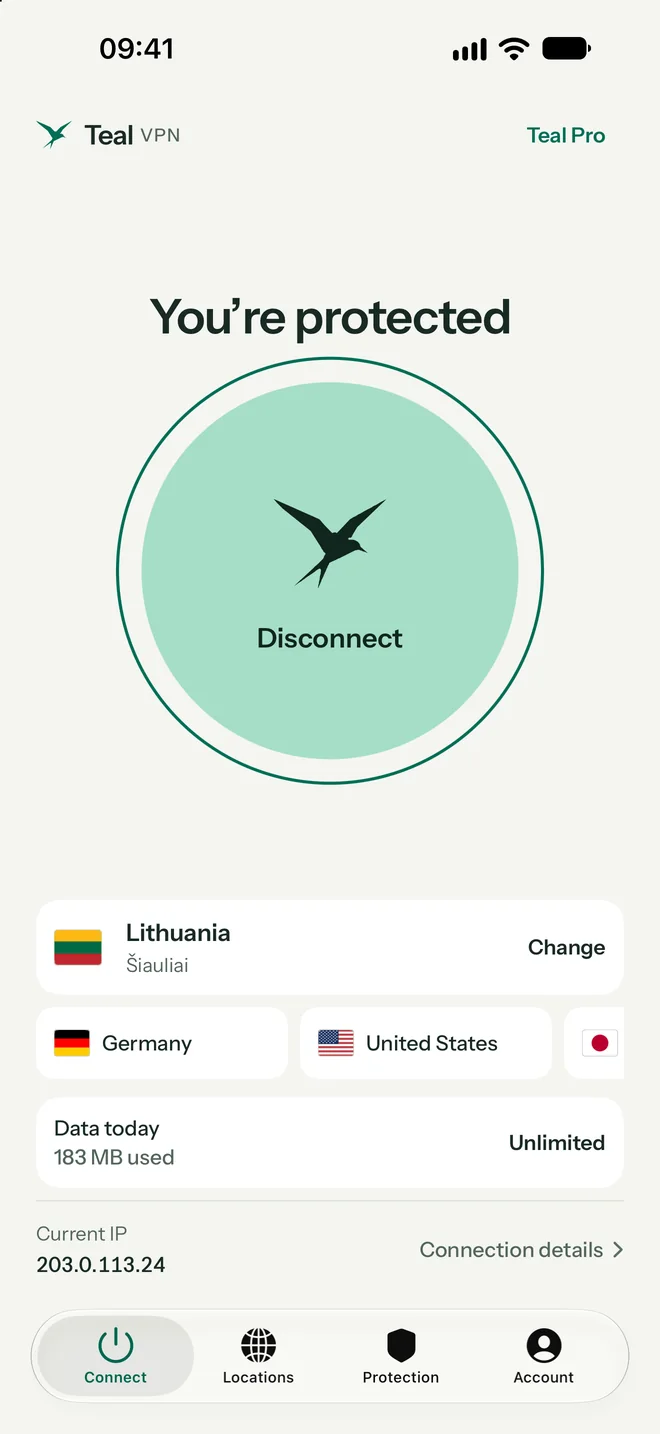
Tap the bird and Teal connects. The screen tells you plainly when you are protected, which location you use, and how much of today’s data is left.
Teal VPN for iPhone & iPad In testing
One tap encrypts your connection and hides your IP address from the sites you visit. Teal keeps working on Wi-Fi that blocks VPNs, and Teal Free stays free: 500 MB every day, no subscription.
One tap
Tap the bird and Teal connects. The screen tells you plainly when you are protected, which location you use, and how much of today’s data is left.
Locations
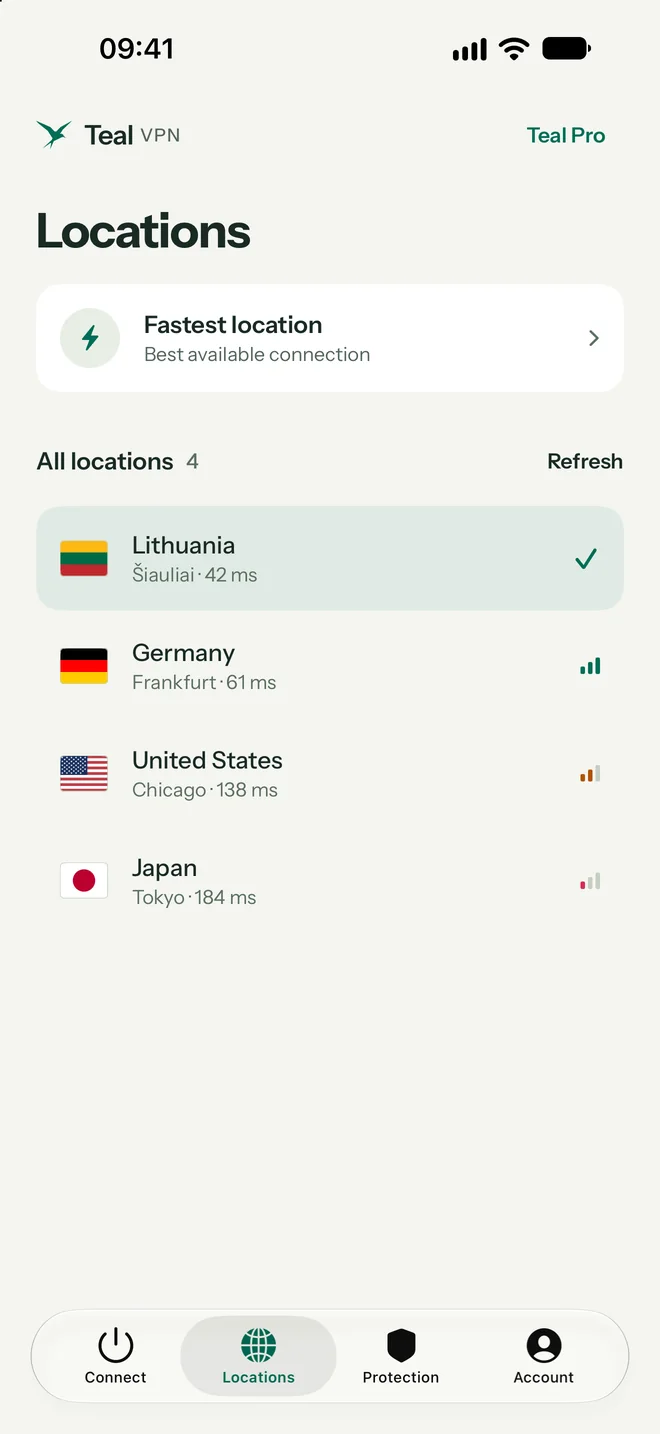
See every Teal location with its live ping, or let Fastest location choose for you. Lithuania is included with Teal Free; Pro opens every location.
See all locations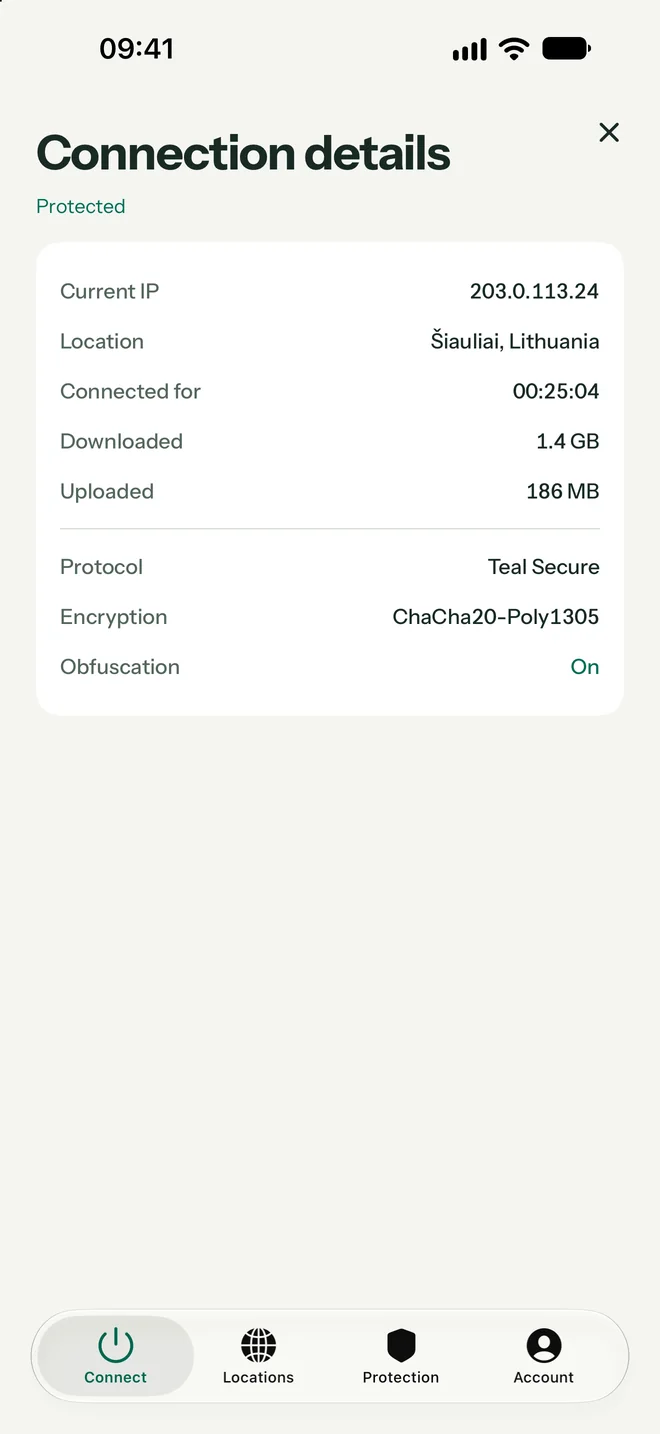
Nothing hidden
Connection details show your current IP address, the location, how long you have been connected, the encryption in use, and whether obfuscation is on.
iPad
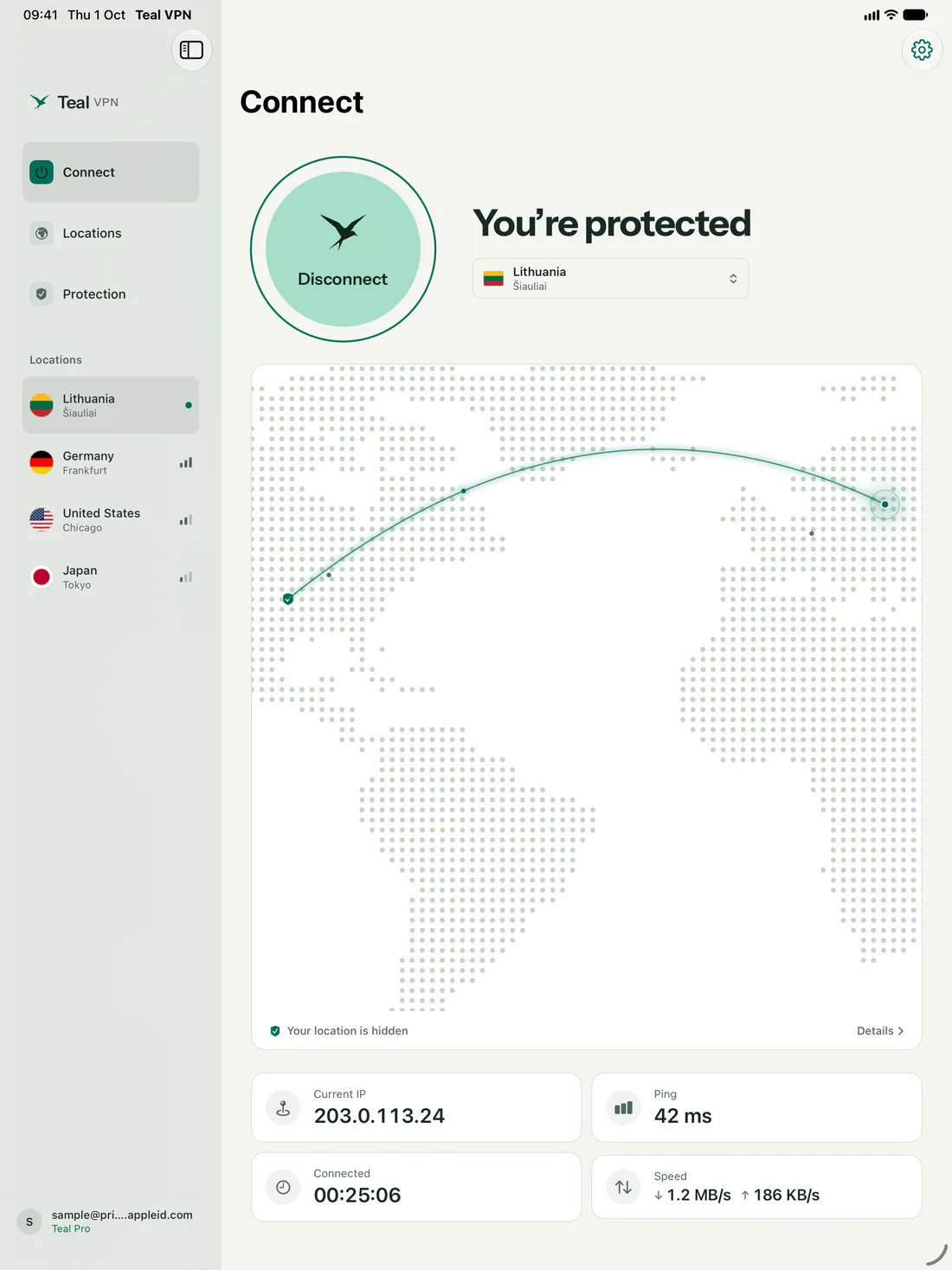
On iPad, Teal spreads out: a map from your country to the server, your IP address, ping, and live speed side by side. Same app, same account.
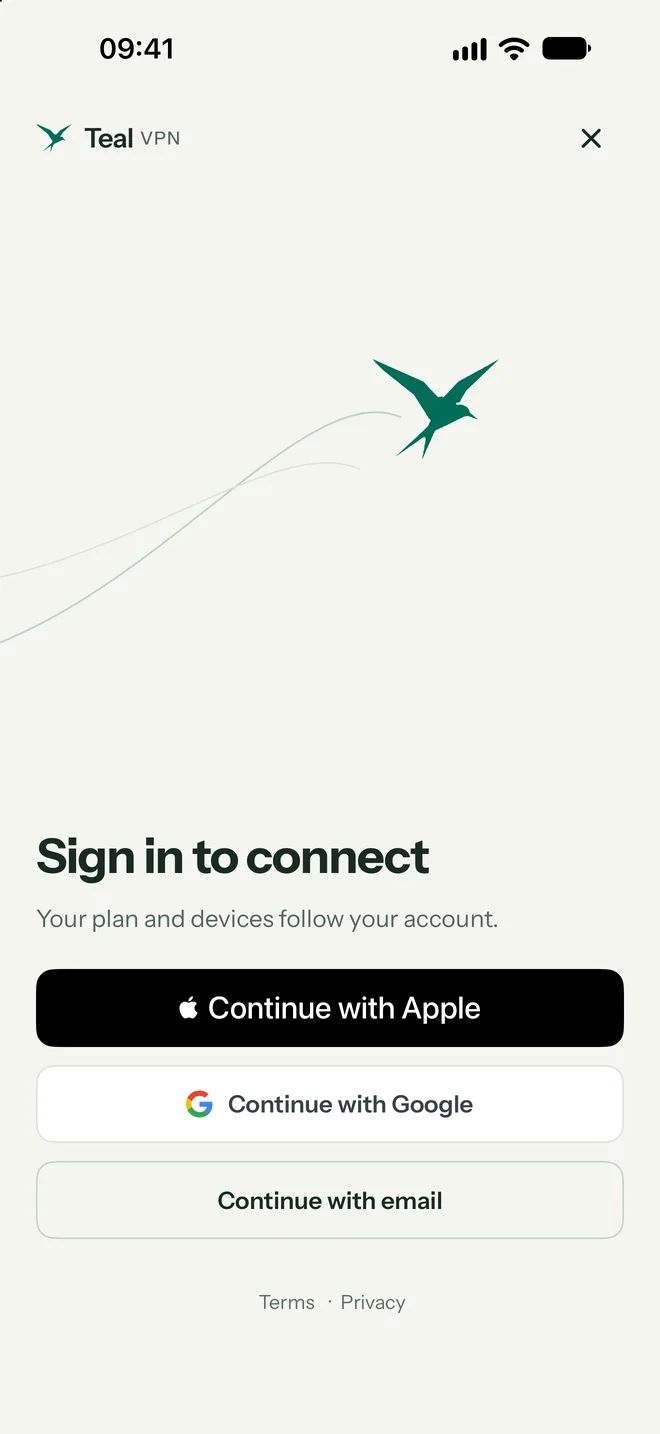
Your sign-in
Use Sign in with Apple, Google, or your email address. With Sign in with Apple you can keep your real email private, even from us.
We count the data you use, never what you do with it. Your connection IP address is not stored.
Your private key is created on your device and never sent to Teal.
Teal is paid for by Pro subscribers, not by selling your attention.
Plans
One account works on every Teal device.
Teal Free
Teal Pro
Getting started
Teal for iPhone and iPad is in testing before its App Store release. Choose iPhone in the form and we send your install link.
Apple, Google, or email. Your Free plan is ready at once, with no payment details.
iPhone asks to add a VPN configuration. Tap Allow, confirm with Face ID, and from then on one tap connects.
Hotel, airport, and café Wi-Fi often need you to accept terms in a browser first.
Only one VPN can be active on iPhone. Make sure Teal is the selected configuration and turn other VPN apps off.
If one works and the other does not, that network filters VPN traffic. Teal tries another route by itself; give it a few seconds.
On Teal Free, the home screen shows how much of your 500 MB you have used today.
Questions
Yes. Teal Free needs no subscription and no payment details: 500 MB of data every day, the Lithuania location, and up to 2 devices. Teal Pro is optional and bought inside the app.
Yes. Teal is one app for iPhone and iPad, with a layout made for the larger iPad screen. Sign in with the same account and your plan works on both.
Teal needs iOS 17 or iPadOS 17 or later.
Teal for iPhone and iPad is in testing before its App Store release. Request early access and we will tell you when it is ready.
After the first connection, Teal appears under Settings › VPN (or Settings › General › VPN & Device Management). The VPN switch there turns Teal on or off, like the button in the app.
No. Teal shows no ads and does not log the websites you visit, the destinations you connect to, or the contents of your traffic.
Start free with 500 MB every day. No card needed.
Apple, iPhone, iPad, Mac, MacBook Air, MacBook Pro, macOS, and App Store are trademarks of Apple Inc., registered in the U.S. and other countries. Android and Google Play are trademarks of Google LLC. Windows is a trademark of the Microsoft group of companies. Teal VPN is not affiliated with or endorsed by these companies.