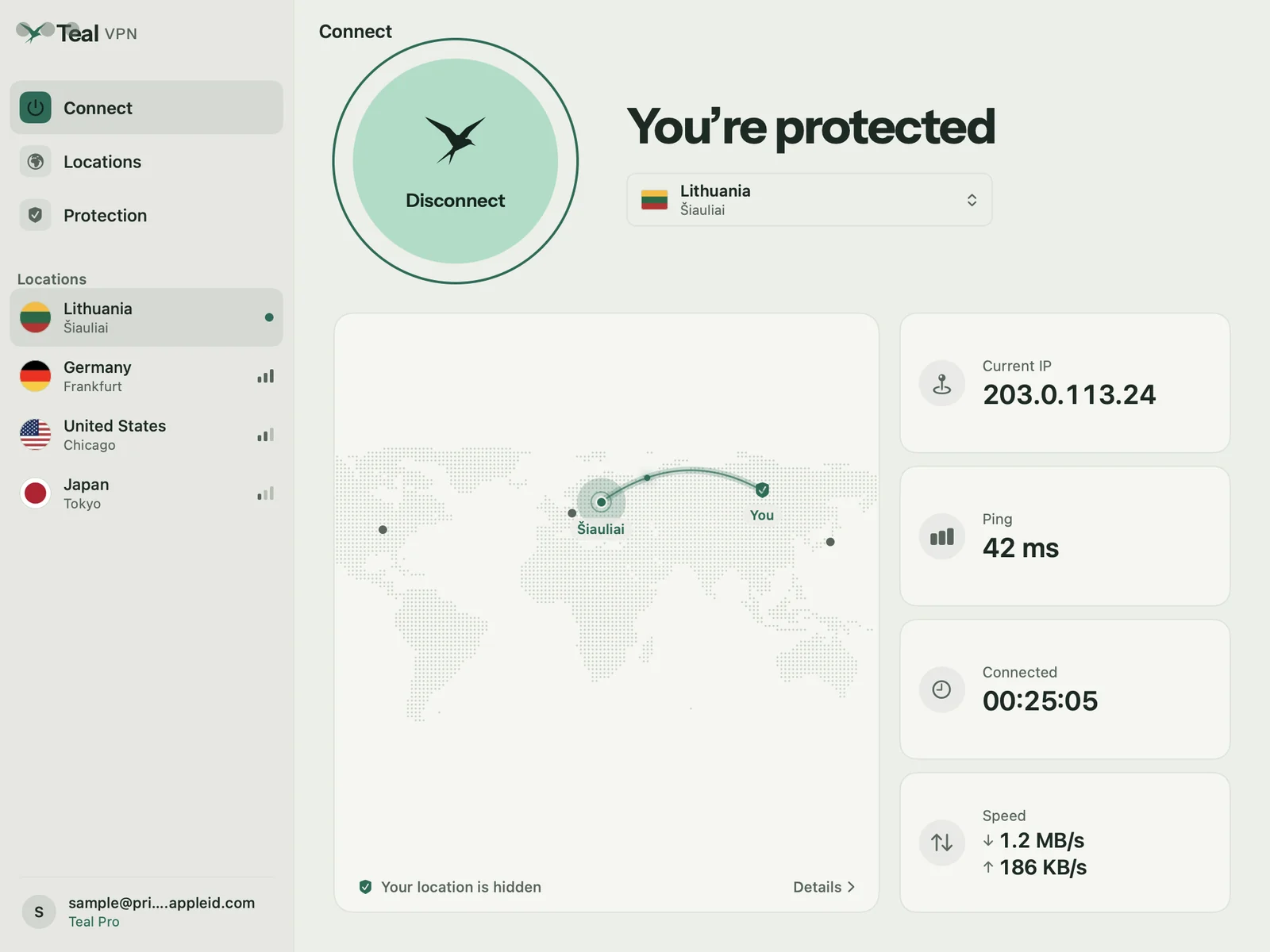
Your connection, mapped
See where your traffic goes.
One click connects. The map draws a line from your country to the server, and tiles show your current IP address, ping, time connected, and live speed.
Teal VPN for Mac In testing
A native Mac app that lives in your menu bar, shows your connection on a map, and keeps your MacBook private on any Wi-Fi. Start free with 500 MB every day, no subscription.
Your connection, mapped
One click connects. The map draws a line from your country to the server, and tiles show your current IP address, ping, time connected, and live speed.
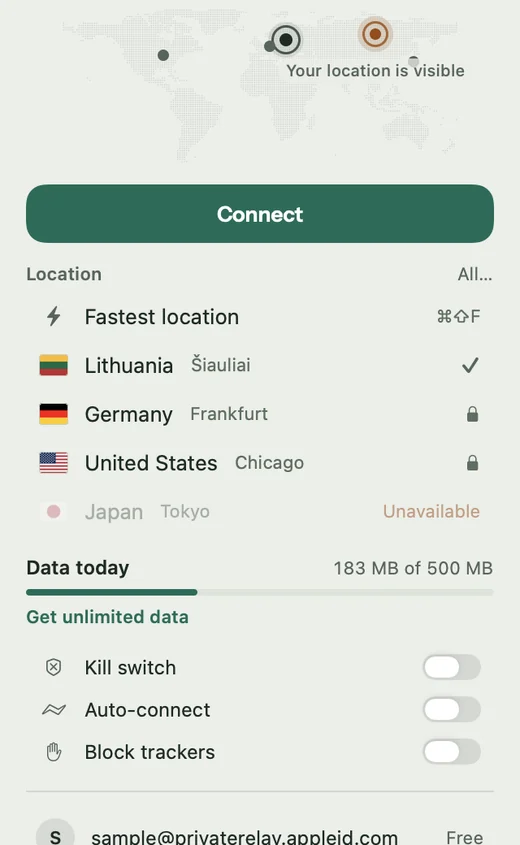
Menu bar
Connect, switch location, and check today’s data straight from the menu bar, with arrow keys and Return if you prefer the keyboard.
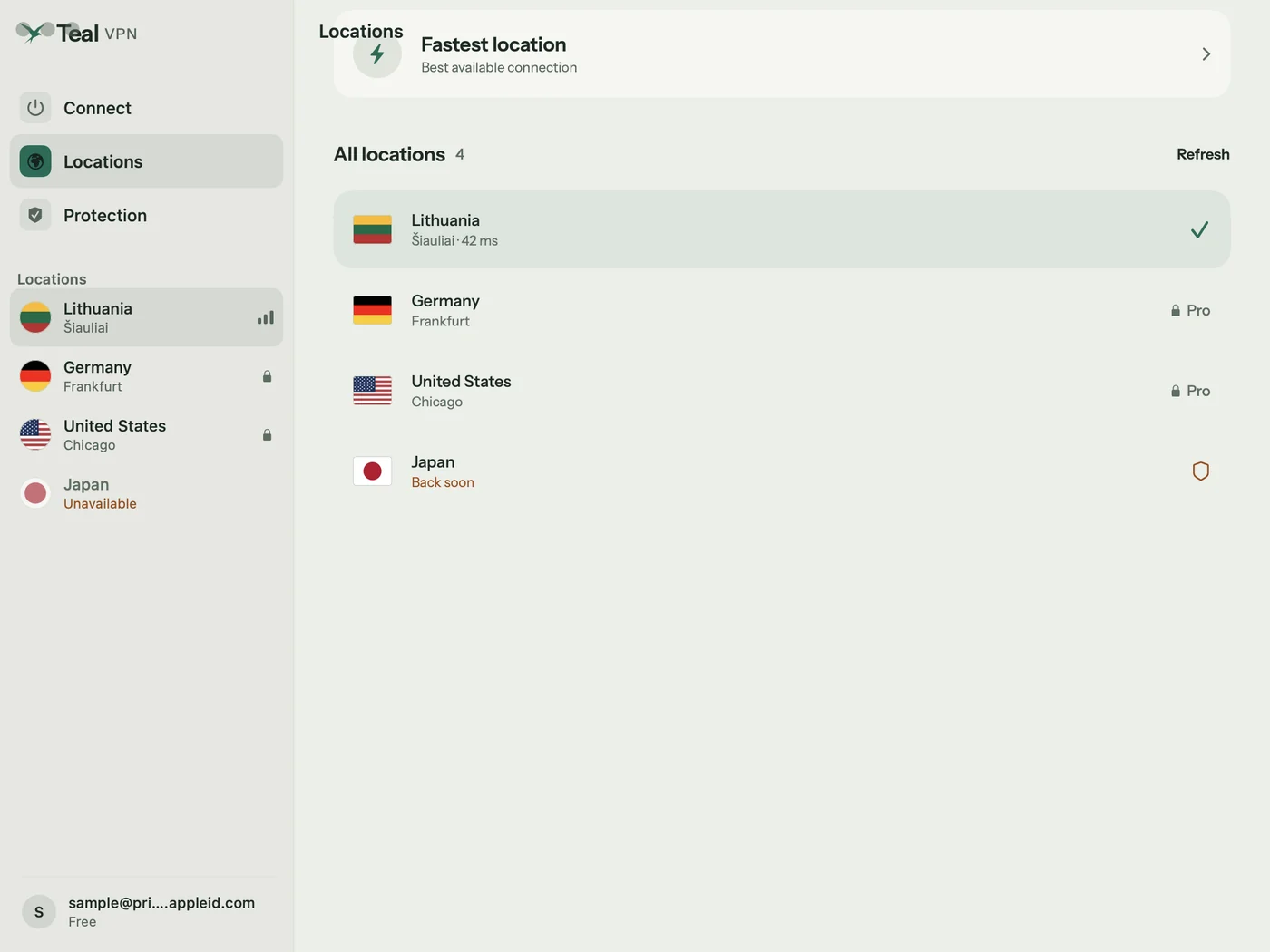
Locations
Every location shows its signal. Fastest location chooses for you. Lithuania is included with Teal Free; Pro opens them all.
See all locations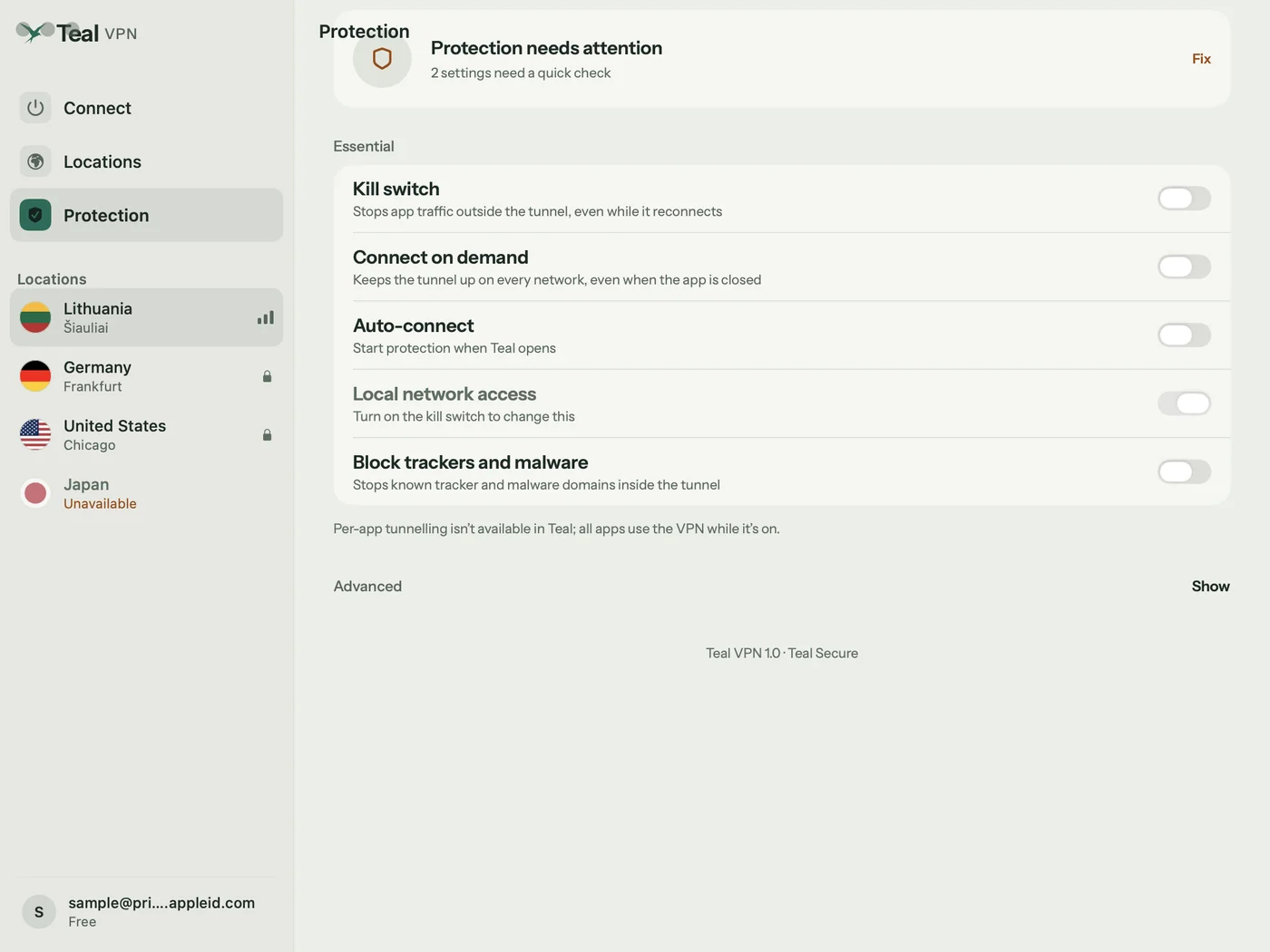
Protection
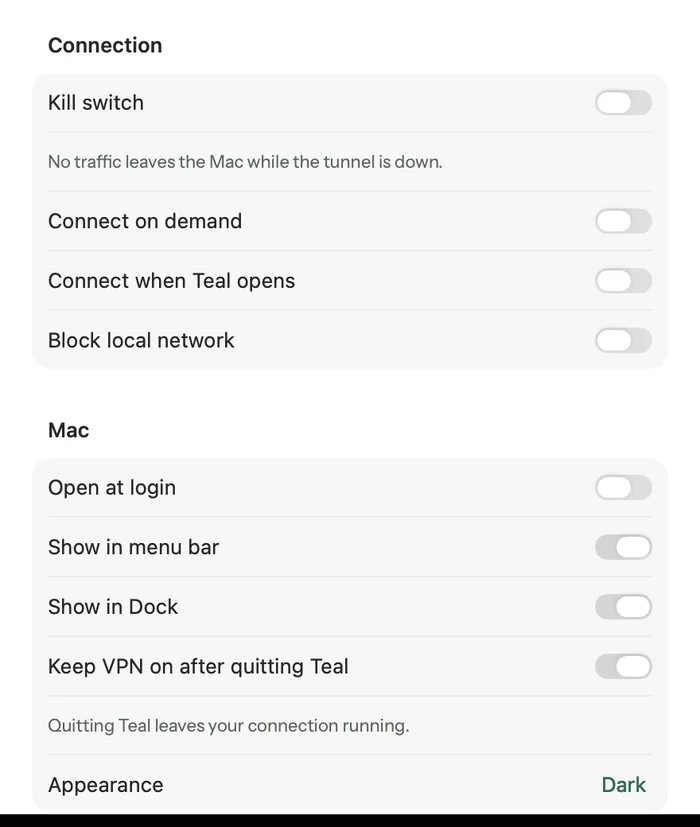
Turn on the kill switch so nothing leaves your Mac while the tunnel is down, connect automatically on untrusted Wi-Fi, and block tracker and malware domains.
Your Mac, your way
Show Teal in the Dock or keep it in the menu bar, open it at login, and choose whether the VPN stays on after you quit. Light and dark mode follow your Mac.
We count the data you use, never what you do with it. Your connection IP address is not stored.
Your private key is created on your device and never sent to Teal.
Teal is paid for by Pro subscribers, not by selling your attention.
Plans
One account works on every Teal device.
Teal Free
Teal Pro
Getting started
Teal for Mac is in testing before its App Store release. Choose macOS in the form and we send your install link.
Apple, Google, or email. Your Free plan is ready at once, with no payment details.
macOS asks to add a VPN configuration. Click Allow, confirm with Touch ID, and from then on one click connects.
Two VPNs fight over one connection. Quit the other app fully, from its menu bar icon too. Teal warns you when another VPN is active.
Hotel, airport, and café Wi-Fi often need you to accept terms in a browser first.
Teal should be listed there. If you removed it, connect from the app again and click Allow.
If your phone’s hotspot works and the Wi-Fi does not, the Wi-Fi filters VPN traffic. Teal tries another route by itself.
Questions
Yes. Teal Free needs no subscription and no payment details: 500 MB of data every day, the Lithuania location, and up to 2 devices.
Yes. Teal runs on Macs with Apple silicon, including MacBook Air, MacBook Pro, iMac, Mac mini, and Mac Studio, on macOS 14.4 Sonoma or later. Support for Intel Macs is in testing.
Yes. Teal lives in the menu bar, and you can hide its Dock icon in Settings. You can also choose whether the VPN stays on after you quit the app.
Teal for Mac is in testing before its App Store release. Request early access and we will tell you when it is ready.
No. Only one VPN can carry your traffic. If another VPN app is running, Teal tells you and shows “Not protected” instead of claiming you are safe.
Start free with 500 MB every day. No card needed.
Apple, iPhone, iPad, Mac, MacBook Air, MacBook Pro, macOS, and App Store are trademarks of Apple Inc., registered in the U.S. and other countries. Android and Google Play are trademarks of Google LLC. Windows is a trademark of the Microsoft group of companies. Teal VPN is not affiliated with or endorsed by these companies.