What Teal Free gives you on a MacBook Air
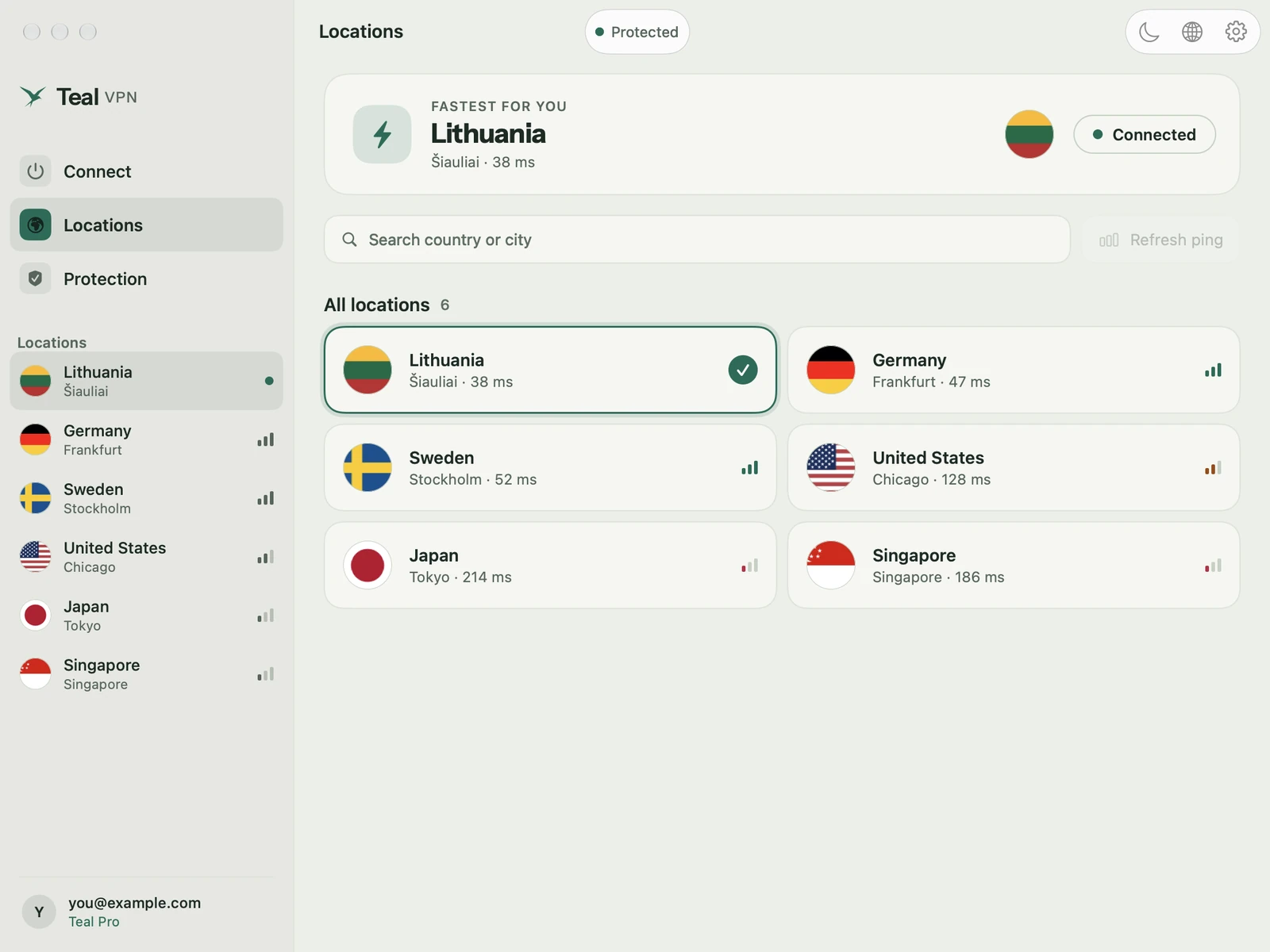
Teal Free is the free plan of Teal VPN: 500 MB of data a day, one location (Lithuania) and up to 2 devices on one account. The 500 MB a day is shared by your devices, so a MacBook Air and an Android phone draw from the same daily amount. It resets every day.
You enter no card and no payment details. You sign in with Google or with a code sent to your email. The same account also works on Android, Android TV, Chromebook, Windows and Linux.
The Mac app is native, lives in the menu bar and updates itself. It needs macOS 13.3 Ventura or later. Every Apple silicon MacBook Air (M1, M2, M3, M4) is supported. The download is a universal app that also contains an Intel build; support for Intel Macs is in testing. On a Mac without Apple's security chip (some older Intel Macs), Teal Free (500 MB a day) also needs Teal VPN on your Android phone. Pro doesn't.
What 500 MB a day covers in practice
500 MB a day covers what most people do on a MacBook Air on public Wi-Fi: mail, web pages, maps, messaging, banking and sign-ins. It does not cover video streaming or big downloads.
The app shows Data today, so you can see what is left of the 500 MB. A spent 500 MB is not a blocked network; it resets daily.
To keep the VPN on but let one heavy app skip it, use Apps outside the VPN in the settings. That app then skips the VPN and uses your normal connection.
| What you do | Fits in 500 MB a day? | Note |
|---|---|---|
| Mail and messaging | Yes | Text and small attachments use little |
| Browsing and reading | Yes, most days | Pages full of video use more |
| Maps and directions | Yes | Map tiles are small |
| Banking and sign-ins | Yes | The part you most want protected on public Wi-Fi |
| Video calls | Short ones | Long calls can use the whole day |
| Video streaming, big downloads | No | Put that app in Apps outside the VPN, or use Teal Pro |
Set it up in 3 minutes
The setup is a download, a drag, a sign-in and one permission. Open the app from Applications, not from the disk image: an app started from the .dmg cannot keep its VPN configuration.
The permission step depends on your macOS version. macOS 13 and 14: System Settings › Privacy & Security › Allow. macOS 15 and later: System Settings › General › Login Items & Extensions › Network Extensions. You do this once. Teal VPN then appears under System Settings › VPN.
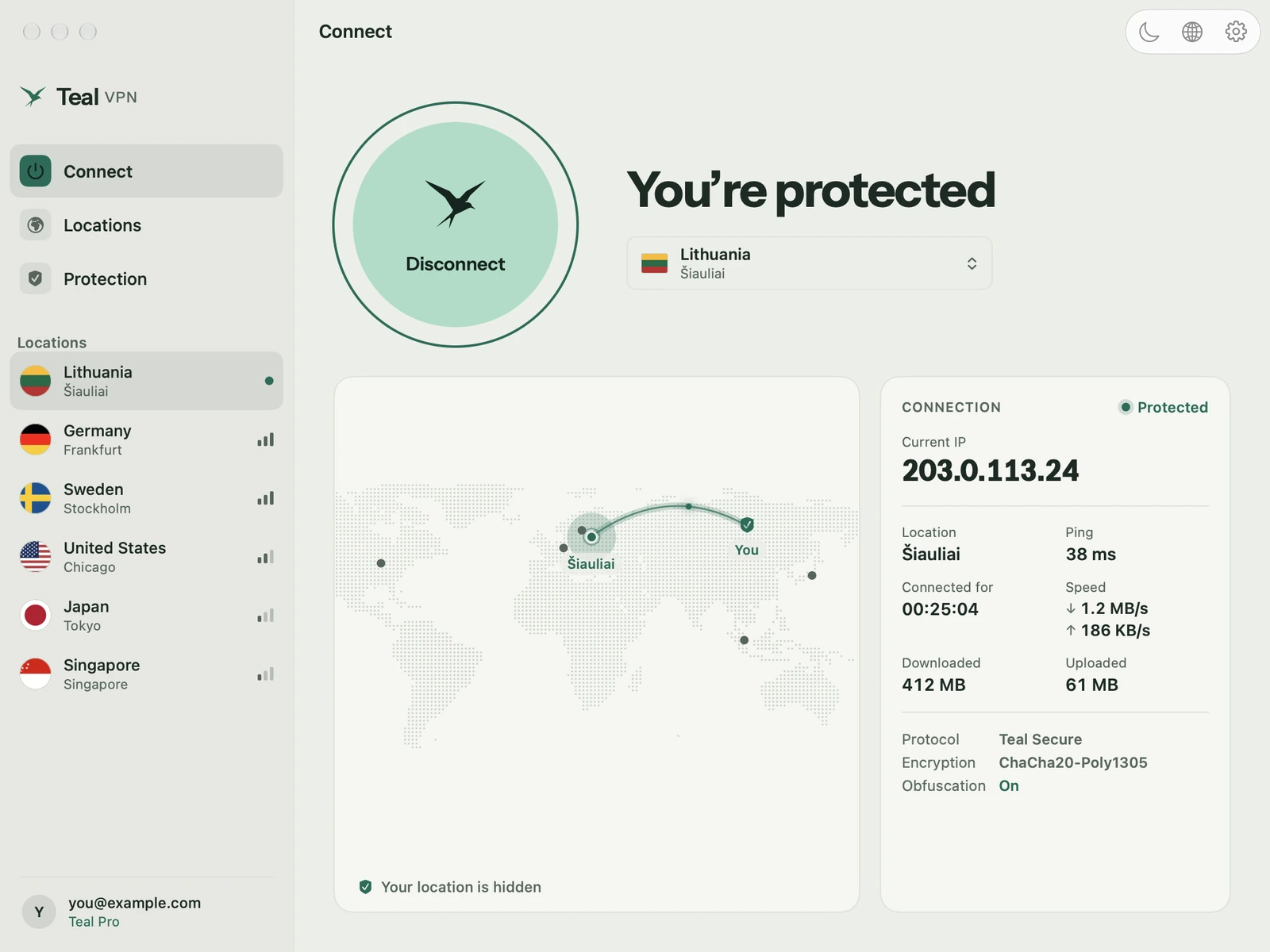
Download the .dmg
Go to tealvpn.com/mac and download Teal VPN for Mac. The .dmg is signed and notarised through Apple's Developer ID process.
Drag to Applications
Open the .dmg, drag Teal VPN to Applications, eject the disk image, then open Teal VPN from Applications.
Sign in
Use Google, or enter your email and type the code that arrives. No card for Teal Free (500 MB a day).
Press Connect and allow once
Allow Teal VPN, then allow the VPN configuration with Touch ID or your password in System Settings.
Check the menu bar
Teal VPN sits in the menu bar and shows that you are connected. From now on, one click connects.
Living in the menu bar
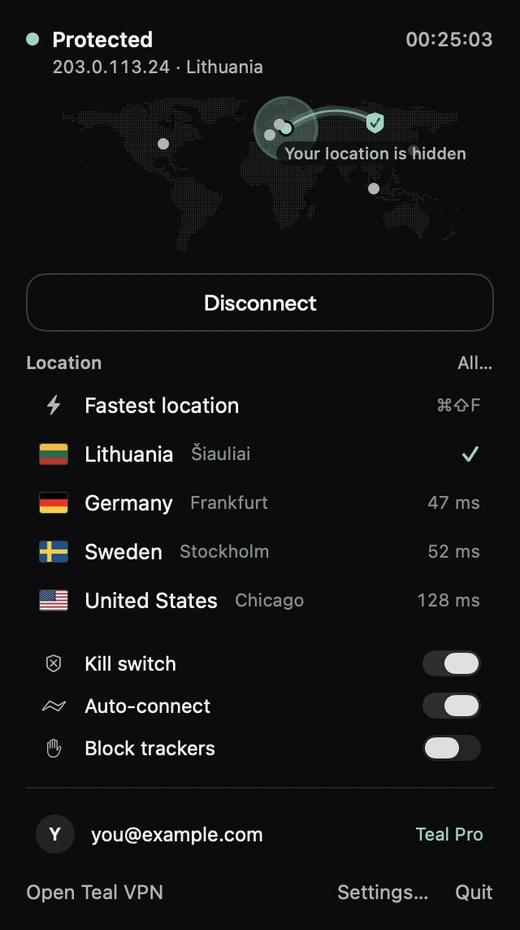
On a MacBook Air you rarely want another window open. Teal VPN sits in the menu bar: click the icon, press Connect, close the popover. You can use it from the keyboard too, and hide the Dock icon. There is a light and a dark mode.
Two switches on the Protection page suit a laptop that moves between networks. Auto-connect at login starts the VPN when you sign in to your Mac. Connect on demand keeps the tunnel up on every network you join, so you do not have to remember it in a café or the library.
The kill switch stops the internet if the VPN drops. Tracker and malware blocking is one switch. If one route fails, Teal VPN switches to another by itself.
On café, library or campus Wi-Fi
On café, hotel, airport or mall Wi-Fi, the network sees an encrypted connection to a Teal VPN server, not the sites you open; websites see a Teal VPN server's address instead of yours. Many of these networks need you to finish their sign-in page in a browser first; connect the VPN after that.
A VPN does not hide who you are from the accounts you sign into: they still know it's you. It does not make a fake sign-in page safe, remove malware, or fix a network with no internet.
We do not log the websites you visit, your DNS lookups or the contents of your traffic, and we do not store the IP address you connect from. The full list is on the page What we keep and what we don't.
How free VPNs usually pay for themselves
A VPN costs money to run. Some free VPN apps pay for it with ads inside the app, and some with data about what you do. We cannot speak for any other app, so before you install one, read its privacy policy and look for what it keeps and who it shares it with.
Teal Free (500 MB a day) is limited on purpose: one location, 2 devices, 500 MB a day. No browsing logs. Teal VPN is made by Fxolio LLC, a company registered in Wyoming, USA.
When Teal Pro makes sense
Stay on Teal Free (500 MB a day) if you use the VPN on public Wi-Fi for mail, browsing and messaging, and Lithuania is fine as the location. Move to Teal Pro when you stream, download, run long video calls, or want a server closer to you.
Teal Pro gives unlimited data, every Teal VPN location in Europe, North America, Asia and Australia, and up to 3 devices. Fastest location measures your ping and puts the fastest at the top. The list is on tealvpn.com/locations.
Prices depend on your country. In the US it is $7.99 a month, $24 for 6 months or $36 a year. Monthly and yearly plans start with 7 days free: you add a card on account.tealvpn.com, one free week per account, and you pay nothing if you cancel before day 7. The 6-month plan and crypto have no free week.
If Connect never finishes
Most Mac problems are one of these. The VPN configuration was not allowed in System Settings, so Connect never finishes. The app was started from the .dmg; eject the image and start the copy in Applications. Another VPN app is still running; only one VPN app can carry traffic, so quit it fully, from its menu bar icon too. Teal VPN warns when another VPN is active and shows Not protected until you do.
If it connects but nothing loads, compare the Wi-Fi with a phone hotspot: if the hotspot works, the Wi-Fi filters VPN traffic, and Teal VPN tries another route by itself. On Teal Free, check Data today: a spent 500 MB is not a blocked network. Also check the Mac's date and time, and any third-party firewall such as Little Snitch.
To reinstall, delete the app from Applications and download again; sign-in and settings are kept in the account. If you write to [email protected], send your macOS version, the Teal VPN version, the location you chose, the exact message and whether the hotspot works. Never send passwords, codes or keys.
Keep reading
References
- Apple Support: Set up a VPN connection on Mac
- Teal VPN for Mac
- Teal VPN locations
- What we keep and what we don't
Need help with Teal? Contact support.