Every VPN benefit comes from three things the app does
A VPN does three things: it encrypts the traffic leaving your device, it gives the sites you visit the server's IP address instead of yours, and it carries your connection through a route the local network cannot read.
Teal VPN, made by Fxolio LLC, has a Free plan (500 MB a day, 2 devices, only an email to sign up) and a Pro plan, with apps for Android, Windows, Mac, Linux, Android TV and Chromebook, plus Chrome, Edge and Firefox extensions. We build it, so the rest of this page says plainly where a VPN helps and where it does not.
If you want the three-item version: safer public Wi-Fi, less tracking by your internet provider, and a connection that still works on networks that restrict VPNs. Everything else on the usual lists, from gaming to cheaper flights, is a side effect of those three and works less reliably.
- 14
- server countriesTeal VPN, as of 1 November 2026
- 500 MB a day
- on Teal Free2 devices, email sign-up only
- 30 days
- money-back on Teal Promonthly, six-month and yearly plans
Public Wi-Fi is where a VPN earns its keep
The clearest benefit of a VPN is on a network you do not control, such as a café, hotel, airport or rental, where the owner and anyone else on it can see which servers your device talks to.
Most sites use HTTPS now, so the content of a page is already encrypted. What a VPN adds is that the network sees only one encrypted stream to one VPN server, not a list of every domain, DNS lookup and app server you touch. It also stops the network operator from steering your DNS answers once you are past the login page.
We think most people over-worry about home Wi-Fi and under-worry about hotel Wi-Fi. At home your provider is a known company you pay; at a hotel the network is run by whoever set it up years ago, and every guest shares it.
- The network showed a login page you had to accept before browsing
- You share it with strangers: a hotel, airport, café or coworking space
- The password is printed on a card at reception or taped to the wall
- Your bank or email app showed a certificate warning on this network
A VPN cuts what your internet provider and sites learn, but not to zero
With a VPN on, your internet provider sees an encrypted stream to one server instead of every site you visit, and the sites you visit see the VPN server's IP address instead of your home one.
In the United States, internet providers are allowed to sell browsing data to advertisers, which is the main reason a US reader at home gets a privacy benefit at all. The VPN company then sits in that position instead, so the benefit is only as good as its logging policy. Teal VPN keeps no browsing logs and shows no ads, as of 1 November 2026.
What a VPN does not change: you are still signed in to Google, Facebook and your bank, cookies still follow you, and your phone's advertising ID still works. Check what the outside world sees with Teal VPN's leak test at tealvpn.com/ip-leak-test, which shows your public IP and the DNS servers answering your lookups with no sign-in; dnsleaktest.com is a fair second opinion.
Changes with a VPN on
- Your internet provider sees one encrypted stream, not a site list
- Sites see the server's IP address and country
- DNS lookups go to the VPN's resolvers, not the network's
- People on the same Wi-Fi cannot read where your traffic goes
Stays the same
- Accounts you are logged in to still know it is you
- Cookies and your browser fingerprint still work
- Apps still report your advertising ID
- Phishing pages and malware still work on you
Traveling: a VPN keeps your home apps working and connects where other VPNs stop
On a trip, a VPN lets you use your home bank, email and news sites as if you were still at home, and on strict networks a VPN with obfuscation is often the only way to connect at all.
Some sites refuse logins from an unfamiliar country, and some countries run networks that restrict VPNs; China and Iran are the usual examples. Teal Secure is Teal VPN's obfuscation, on every connection and every plan: it makes VPN traffic look like ordinary web traffic. The automatic route switch tries other routes by itself when a network closes one.
No VPN is guaranteed to connect on every network, and we do not promise any server in any country. Check the local rules before you travel, and install the app before you leave, because the VPN's own website and the app store are often the first things a strict network restricts. Teal VPN has servers in 14 countries, including the United States, the United Kingdom, Japan, Singapore and Germany, as of 1 November 2026.
Throttling and price differences: real, but smaller than the ads say
A VPN stops your internet provider from slowing one kind of traffic, such as video or game downloads, because it can no longer tell which kind it is; it does nothing about a monthly data cap or a slow line.
Price discrimination is the shakiest benefit on most lists. Retailers and travel sites do adjust prices by location and history, as Execulink's 2023 piece notes, but we have not run a controlled test of our own, so treat it as something to try in a private window with a different server, not a saving to count on.
If your speed looks worse with the VPN on, that is normal: the traffic takes one extra hop. If it looks better, your provider was probably throttling or routing badly, and the VPN route avoided it.
Many online retailers use dynamic pricing, which means they adjust prices based on your location, search history, and other factors.
Execulink Telecom, May 2023
| Claimed benefit | How often it helps | What to expect |
|---|---|---|
| Stop per-app throttling | Often, if your provider does it | Steadier video and downloads; no help with data caps |
| Cheaper prices by changing country | Sometimes | Compare in a private window; results vary by site and day |
| Faster internet overall | Rarely | A VPN adds a hop, so expect a small speed drop |
| Steadier speed on a congested route | Sometimes | Works when the VPN path avoids a bad link on your provider's side |
Gaming and remote work: a VPN keeps your IP off other screens and usually adds a few milliseconds
For gaming, the main benefit of a VPN is that other players never see your home IP address, the thing a flood attack needs; the lag benefit only appears when your provider routes badly or throttles game traffic.
A VPN normally adds a hop, so ping goes up a little. Pick the server nearest to you or to the game server, measure with the VPN off and on, and keep whichever is lower. Our guide at tealvpn.com/guides/how-to-reduce-ping walks through the measurement.
For remote work, the benefit is that a hotel or café network only sees one encrypted stream, so a Remote Desktop session or a company login is not exposed to whoever runs that network. A company VPN gets you onto the office network; a consumer VPN such as Teal does not, and many people run both.
Install on the device you use on other people's networks
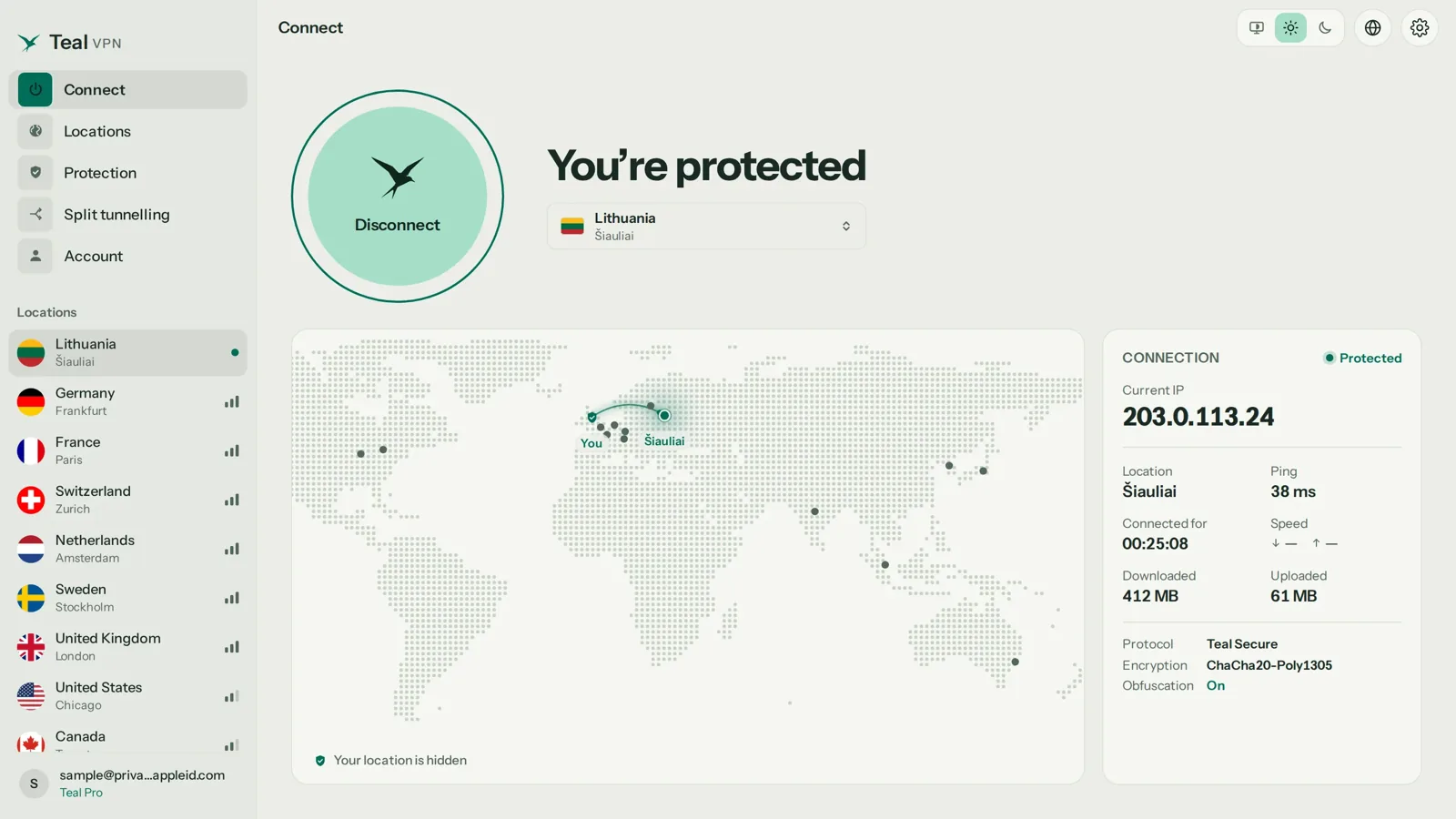
That is usually the laptop and the phone. Teal VPN has apps for Android, Windows, Mac, Linux, Android TV and Chromebook, and extensions for Chrome, Edge and Firefox.
Pick the nearest server for speed, your home country for travel
Nearest for gaming and everyday browsing; your home country when a bank or email login refuses a foreign address.
Run the leak test once
Open tealvpn.com/ip-leak-test with the VPN on. The IP should match the server country and the DNS line should not show your internet provider.
Leave it on until you are back on a network you trust
Turning it off at the café to speed up a download undoes the point. Teal Secure is on for every connection, so there is no extra setting to flip.
If a network refuses the connection, try another server
The app switches routes by itself first. If it still fails, pick a different country and try again; no VPN connects on every network.
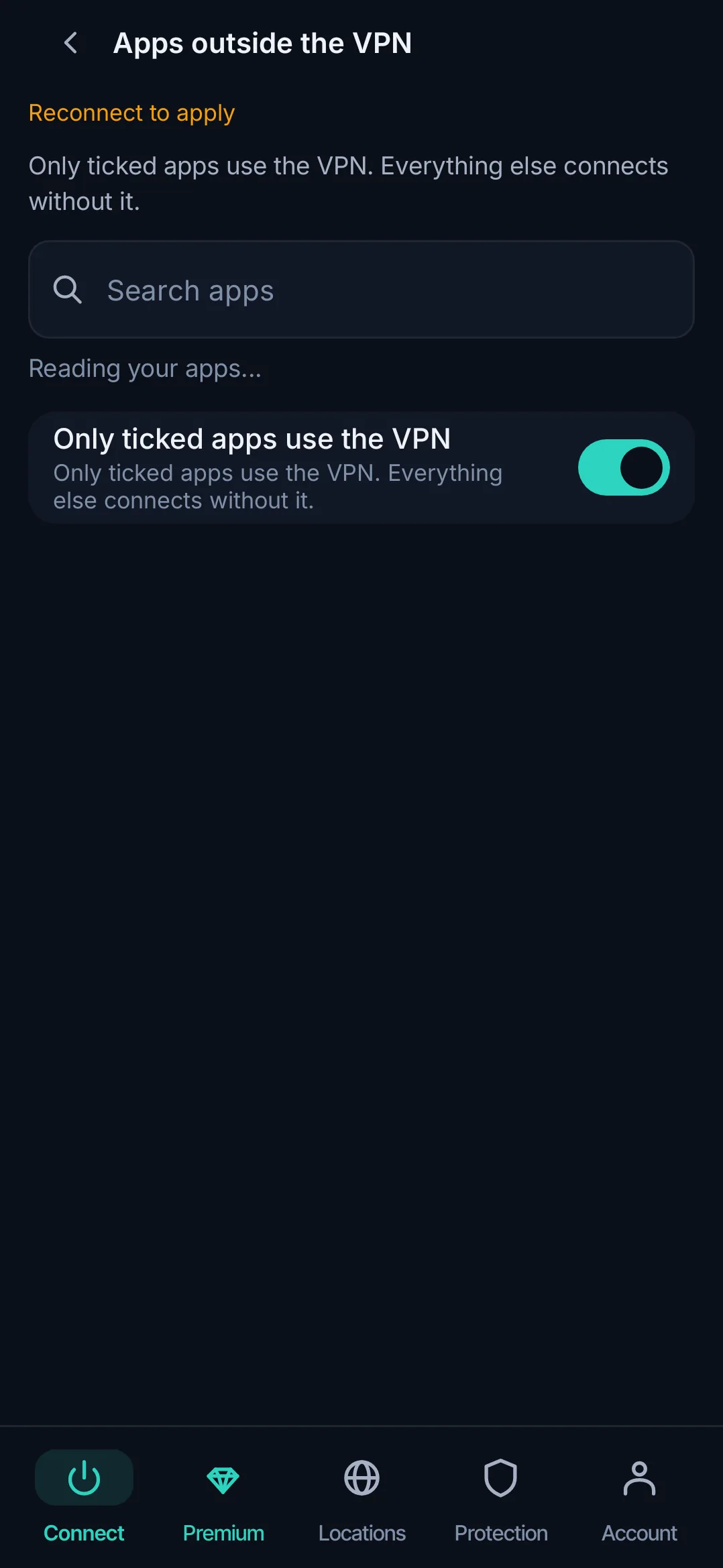
The limits: a VPN costs speed, money and trust
A VPN slows your connection a little, costs money if you want more than a daily allowance, and moves your trust from your internet provider to the VPN company; those are the three honest drawbacks.
Speed: expect a small drop on a nearby server and a bigger one across an ocean. Money: Teal Pro is $7.99 a month, $24 for six months or $36 a year ($3 a month), with 30 days money-back, paid by card, Apple Pay, Google Pay, PayPal or crypto; Teal Free is 500 MB a day on 2 devices. Trust: read the logging policy and check who owns the company. Teal VPN is owned by Fxolio LLC in the United States and keeps no browsing logs.
Two more limits worth saying out loud. Some devices have no VPN app at all, such as game consoles and many smart TVs, and a VPN does nothing against phishing, a weak password or malware you install yourself. Teal VPN's phone app is for Android; we do not have an iPhone app as of 1 November 2026.
| Teal VPN plan | Price | Devices | Money-back |
|---|---|---|---|
| Teal Free | $0, 500 MB a day | 2 | Not needed |
| Pro, monthly | $7.99 a month | 5 | 30 days |
| Pro, six months | $24 | 5 | 30 days |
| Pro, yearly | $36 ($3 a month) | 10 | 30 days |
Keep reading
References
- Surfshark: Do I need a VPN? 10 reasons
- CactusVPN: VPN advantages and disadvantages
- Execulink Telecom: Five benefits of using a VPN
Need help with Teal? Contact support.
Questions
What are the three major benefits of using a VPN?
Encryption on networks you do not control, a different IP address so sites and your internet provider learn less, and a route that connects on networks that restrict VPNs. Gaming, throttling and price benefits are side effects of those three.
What are the benefits of using a VPN on your phone?
A phone joins more strange networks than any other device you own, and its apps talk to servers in the background all day. A VPN on the phone covers all of that at once; Teal VPN's phone app is for Android as of 1 November 2026.
Is there any benefit to a VPN at home?
Less than on public Wi-Fi, but not zero. At home the benefit is that your internet provider sees one encrypted stream instead of your site list, and cannot throttle one kind of traffic; in the United States providers may sell browsing data, which is the main reason to bother.
Does a VPN help with gaming?
It keeps your home IP address off other players' screens, which is what a flood attack needs. It usually adds a few milliseconds of ping, so it only lowers lag when your provider routes badly or throttles game traffic; measure with it off and on.
What are the benefits of a VPN router?
A VPN on the router covers every device in the house, including ones with no VPN app such as consoles and smart TVs, and the router does the work. Teal VPN's apps run on devices, not routers, as of 1 November 2026, so for a TV we point people to the Android TV app.
What are the benefits of using a VPN with RDP?
A Remote Desktop session over a VPN is not exposed to the café or hotel network, and the office side does not have to open RDP to the whole internet. That second part needs a company VPN; a consumer VPN only covers the first.
Is a VPN still worth it in 2026 when most sites use HTTPS?
Yes on networks you do not control and on trips to countries with strict networks; optional at home. HTTPS encrypts page contents but still shows the network every domain you visit and every DNS lookup, and a VPN covers both.