Most people need a VPN sometimes, not all day
You need a VPN when someone between you and the website can see or alter your traffic: a café network, a landlord's building Wi-Fi, your ISP, or a strict network abroad.
You do not need one to read the news on a home connection you set up yourself. HTTPS already keeps the contents of each page private; a VPN adds the part HTTPS leaves out, which is the list of sites you visit.
Our opinion after years of support chats: most people over-worry about hackers in cafés and under-worry about the site history their ISP and their apps collect every day.
- You use Wi-Fi you do not control: cafés, hotels, airports, a building network run by a landlord
- You travel to countries with strict networks, such as China
- You do not want your ISP or mobile carrier to keep a log of the sites you visit
- You share a router with housemates or family who are curious
- You use peer-to-peer file sharing
- Your employer asks you to use one for work from home
A VPN moves your traffic through an encrypted tunnel, which changes who can see what
A VPN encrypts everything leaving your device and sends it to a VPN server first, so the network you are on and your ISP see only one encrypted connection to that server.
Websites then see the VPN server's IP address instead of yours. You can check what they see at Teal VPN's IP and DNS leak test at tealvpn.com/ip-leak-test, which works with any VPN and needs no sign-in.
Teal VPN, made by Fxolio LLC, has the Free plan, Teal Free (500 MB a day), and a Pro plan, with apps for Android, Windows, Mac, Linux, Android TV and Chromebook, plus Chrome, Edge and Firefox extensions.
What a VPN does
- Stops your ISP and the local network from seeing which sites you visit
- Shows websites the server's IP address instead of yours
- Encrypts your traffic on networks you do not control
- Keeps a connection up on networks that restrict VPNs, if it has obfuscation
What a VPN does not do
- Scan files for malware or stop you installing a bad app
- Stop a website tracking you once you log in to it
- Make a weak password safe
- Catch a phishing email
A VPN is privacy software that routes your internet connection through an encrypted tunnel to a secure server in another location.
CNET, Do I Need a VPN?
When you need a VPN, situation by situation
A VPN is close to essential in three situations, useful in three more, and mostly unnecessary in the rest; the table is how we answer this in support chats.
Travel to Japan, South Korea or Ireland is not the same as travel to China: the networks there are open, and the reason to use a VPN is the hotel Wi-Fi, not the country. Teal VPN has servers in both Japan and South Korea as of 2 November 2026, so you can keep a local IP there if you want one.

| Situation | Need a VPN? | Why |
|---|---|---|
| Public Wi-Fi (café, hotel, airport) | Yes | Whoever runs the network can see which sites you connect to and can serve fake login pages; the VPN encrypts everything up to the server. |
| Travel to China or other countries with strict networks | Yes | Many apps and sites do not load; usually only VPNs with obfuscation, such as Teal Secure, connect. Check the local rules before you travel. |
| Peer-to-peer file sharing | Yes | Every peer in the swarm sees your IP address; with a VPN they see the server's instead. |
| Shared building or landlord Wi-Fi | Useful | The building manager and neighbours on the same network can see your site list. |
| Your own home connection | Useful | Your ISP logs which sites you visit even with HTTPS; a VPN keeps that list from it. |
| Phone on cellular data | Useful | Your carrier sees the same site list an ISP does; the risk from other people on the network is low. |
| Working from home | Depends | If your employer gives you a company VPN, use that; a personal VPN does not replace it. |
| Online banking at home | Rarely | Banks use HTTPS end to end, and some ask you to switch a VPN off before logging in. |
| Streaming on your own account at home | Rarely | A VPN adds nothing to privacy here and can slow the stream. |
Do I need a VPN at home? Only if your ISP's view of you bothers you
At home a VPN does one main thing: it stops your ISP from seeing and logging which sites and apps you use, and when.
HTTPS keeps the contents of a page private, but as Mozilla's guide puts it, it does not conceal which sites you are visiting. Your ISP sees every domain, how often and for how long, and that history is valuable to advertisers. Anyone with access to your router can see the same list with a little effort, which is the housemate problem.
If that bothers you, run the VPN all day at home. If it does not, switching it on only for other people's networks is a reasonable choice, and it is what most of our own team does.
Do I need a VPN on my phone? Yes on Wi-Fi, optional on cellular
On a phone the VPN matters most when you join Wi-Fi you do not control, which phones do constantly: shops, cafés, hotels, airports, trains.
On cellular data the person next to you cannot read your traffic, but your carrier sees the same site list an ISP does. A VPN on mobile data is about the carrier and about apps seeing your real IP, not about hackers.
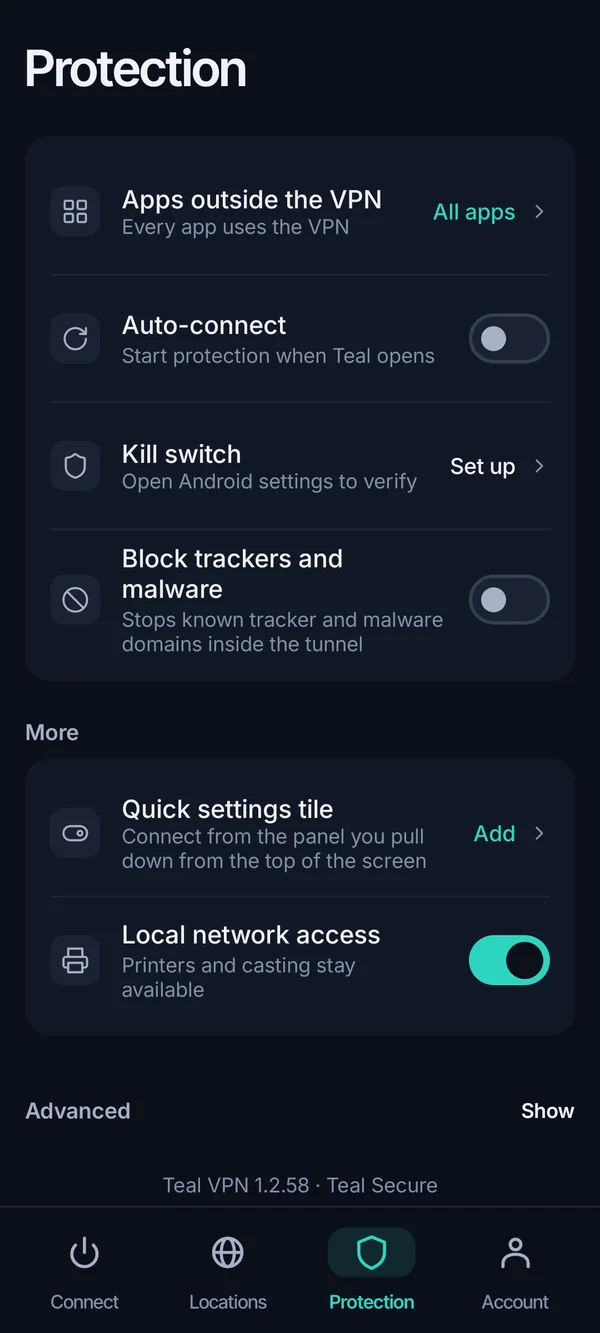
Teal VPN's Android app connects with Teal Secure on every plan, and Teal Free gives 500 MB a day on 2 devices, enough for maps, messages and email on a trip but not for video. We do not have an iPhone app as of 2 November 2026, so iPhone owners need another provider for now.
Do I need a VPN for international travel? On strict networks, yes
For a trip to China or Iran a VPN is the difference between your usual apps working and not working; for most other countries the VPN is there for hotel and airport Wi-Fi.
Ordinary VPN connections are often closed on strict networks within minutes. Teal Secure, Teal VPN's obfuscated connection, makes VPN traffic look like ordinary HTTPS on every connection and every plan, and the app tries other routes by itself when a network closes one. No VPN is guaranteed to connect on every network, so install and test before you fly.
Take Teal Free with you even if you buy nothing: 500 MB a day covers messaging and maps, and the app is already on the phone when you land.
How to decide in five minutes
Count your networks, think about your ISP, check your travel plans, then try a plan that costs nothing before paying for anything.
Count the networks you use in a week
Home only? A VPN is optional. Any café, hotel, airport or building Wi-Fi? Put a VPN on the device you carry there.
Decide how you feel about your ISP
If the idea of your provider holding a year of your site history bothers you, run the VPN at home too.
Check your travel plans
China or another country with strict networks in the next year? Pick a VPN with obfuscation and test it at home first.
List your devices
You need the app on each device you want covered, or a VPN on the router. Teal Pro covers up to 10 devices on the yearly plan and 5 on the monthly and six-month plans.
Try before paying
Teal Free costs nothing and needs only an email. See whether you actually switch it on over two weeks; if you do, upgrade. Teal Pro has a 30-day money-back period.
Check the result
Connect, then open tealvpn.com/ip-leak-test. The IP and DNS lines should show the VPN server's location, not your ISP.
What a VPN costs if you decide you need one
Teal Pro costs $7.99 a month, $24 for six months or $36 a year ($3 a month), with a 30-day money-back period, as of 2 November 2026.
Many rivals advertise a low intro price that rises at renewal; Teal's yearly price is also the renewal price. You pay by card, Apple Pay, Google Pay, PayPal or crypto.
Teal Free and Teal Pro use the same 14 server countries and the same Teal Secure connection; Pro removes the 500 MB daily cap and raises the device limit. There are no browsing logs and no ads on either plan.
- $3
- a month on the yearly plan$36 billed once a year
- 30 days
- money-back period on Teal Pro
- 14
- server countriessame list on Teal Free and Teal Pro
- 500 MB
- a day on Teal Free2 devices, an email is all it asks for
Keep reading
References
- Mozilla: Do you need a VPN at home? Here are 5 reasons you might
- CNET: Do I Need a VPN? How to Know If You Should Use a VPN
- Reddit r/VPN: Do I really need a VPN?
Need help with Teal? Contact support.
Questions
Why do I need a VPN if websites already use HTTPS?
HTTPS protects what is on the page, not which site you opened. Your ISP, your carrier and whoever runs the Wi-Fi still see every domain you visit; a VPN keeps that list from them.
Do I need a VPN for each device?
Yes, the app has to run on each device you want covered, or you put the VPN on the router. Teal Pro covers up to 10 devices on the yearly plan; Teal Free covers 2.
Do I need antivirus if I use a VPN?
Yes. A VPN encrypts traffic and changes your IP; it does not scan downloads or stop you installing a bad app. They do different jobs.
Do I need a VPN with Tor?
Usually not. Tor already relays your traffic through several volunteer nodes. A VPN in front of Tor only stops your ISP from seeing that you use Tor, which matters to a few people, not most.
Do I need a VPN to work from home?
Only if your employer asks for one, and then it is the company's VPN, which connects you to office systems. A personal VPN like Teal VPN protects your own browsing and does not replace it.
Do I need a VPN for IPTV, Kodi or torrent apps?
If the app connects you to many strangers, as peer-to-peer apps do, a VPN keeps your real IP address out of their logs. It does not make unlicensed content legal, so stick to sources you are allowed to use.
Do I need a VPN in South Korea or Japan?
The networks there are open, so the reason to use one is hotel and café Wi-Fi, the same as at home. Teal VPN has servers in both countries as of 2 November 2026. Check the local rules before you travel.